


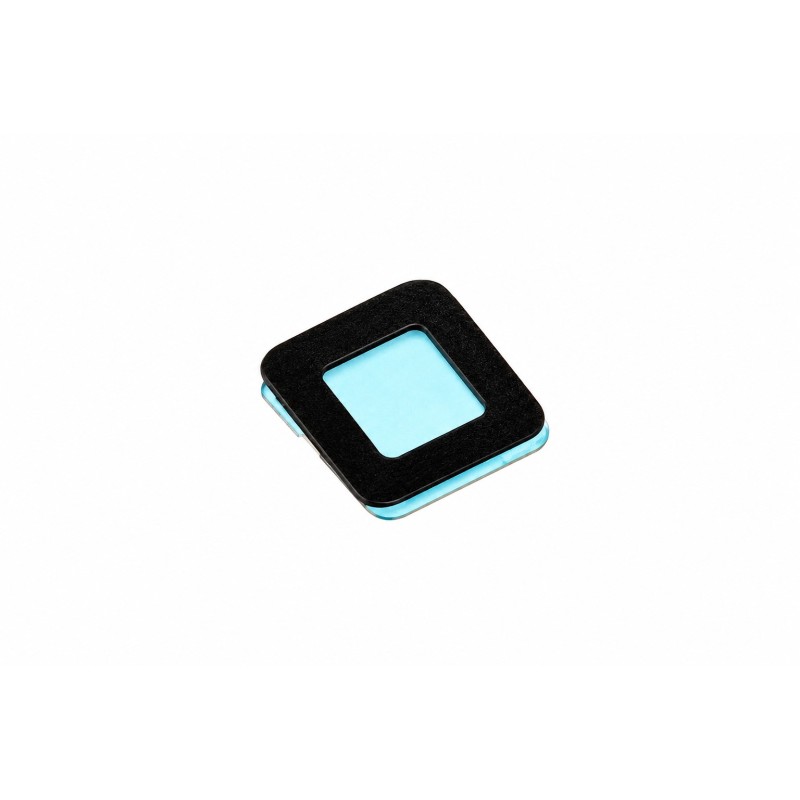

UV film lens for the ambient light and proximity sensor of iPhone 4S (A1387 and A1431): restores screen switch-off during calls and auto-brightness after a glass replacement. QC Passed.
 Security policies
 Shipping policies
 Return policies
The UV Film Lens for Light and Proximity Sensor for Apple iPhone 4S is the small optical window applied to the inner side of the front glass, over the ambient light sensor and the proximity sensor. It lets the signal reach the sensors correctly, allowing the screen to switch off during calls and the brightness to adjust automatically.
Replace it when the original lens has been lost or damaged after a glass or display replacement, when the screen stays on as you bring the phone to your ear, when your cheek triggers buttons during calls, or when auto-brightness no longer responds properly.
The lens is typically fitted when replacing the touch glass or the complete display. Fitting a new lens prevents the proximity sensor from going "blind" or giving false readings.
Suitable for personal use as well as for service centres and technicians who want to complete a glass replacement without losing sensor functions. Discover all the details of this spare part
Bulk packaging, installation tools not included.
Clean the glass thoroughly in the sensor area before applying the lens, leaving no dust or fingerprints, and align it precisely with the sensor openings. If the problem persists with the new lens, the fault is most likely in the proximity sensor flex rather than in the lens.
Every spare part passes QC Passed quality control before shipping. The product is covered by the legal guarantee of conformity under Italian Legislative Decree 206/05 (Consumer Code): if defective, it is replaced under warranty provided it shows no signs of tampering, impact or incorrect installation. Images are for illustration purposes.
If you are unsure about your iPhone model, you can check the official Apple website.
For detailed information on warranty, returns and purchase conditions, see the Terms of sale.
Note: the trademarks mentioned belong to their respective owners and are used solely to identify the compatibility of the spare part. There is no affiliation with Apple Inc.
➜ iPhone 4S Spare Parts
Discover other essential parts to repair your iPhone 4S.
Go to the iPhone 4S Spare Parts category
➜ iPhone Spare Parts
Discover spare parts for every iPhone model.
Go to the iPhone Spare Parts section
➜ All Spare Parts
Explore the full catalogue of spare parts for Apple devices.
Go to the Spare Parts section
➜ iPhone 4S Repair
Prefer to rely on a specialised technician? Discover our repair service.
Go to the iPhone 4S Repair service
➜ iPhoneHospital.it
Back to the home page to discover the whole catalogue.
Go to iPhoneHospital.it
Data sheet
Specific References


No customer reviews for the moment.
