


More Durable Lightning Cables: How to Choose Them
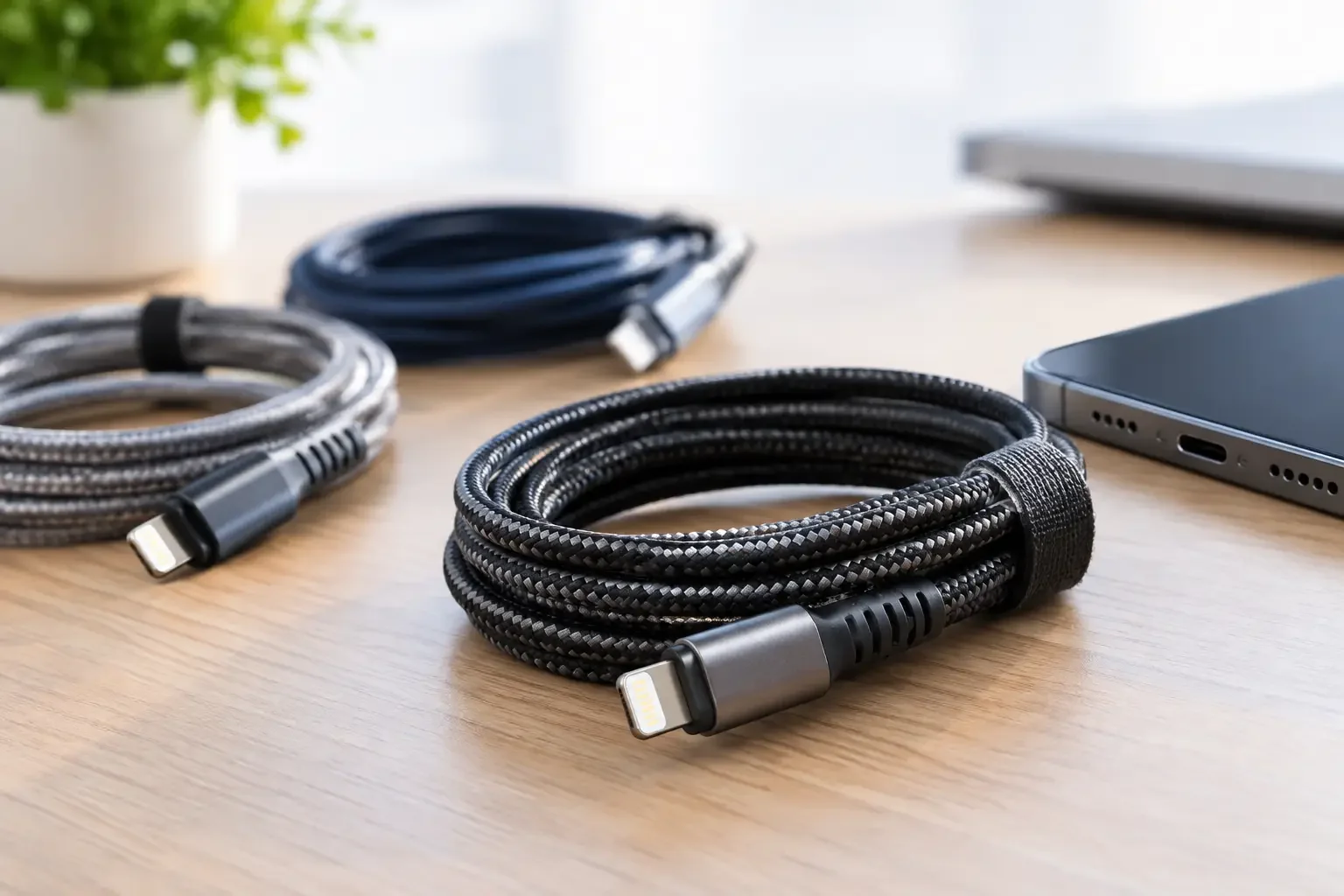
A cable that stops charging with a slight movement, overheats near the connector, or loses contact after a few weeks creates an operational issue, not just an inconvenience. To choose more durable Lightning cables, it's not enough to look at the outer coating or aim for the highest price: it's essential to assess certification, connector structure, bend resistance, conductor gauge, and intended use.
For a workshop, a service store, or a user who charges their iPhone multiple times a day, the cable is a component subject to continuous mechanical wear. It gets bent at the port exit, pulled during use, compressed in bags, and is often connected to chargers of varying power. The actual lifespan depends on the overall quality, not just a single characteristic stated on the packaging.
More Durable Lightning Cables: What Determines Lifespan
The most common failure point is the junction between cable and connector. Here, the internal conductors undergo repeated micro-bending: the coating may appear intact while one or more wires are already damaged. A good bend resistance system distributes the bending along a wider stretch and reduces stress concentration at the connector base.
The outer sleeve contributes, but it must be interpreted correctly. TPE is flexible, practical, and common in cables intended for everyday use. Braided nylon improves resistance to abrasion and superficial cuts, useful for cables carried alongside tools or power supplies. However, it's not an absolute guarantee: a well-made outer braid does not compensate for thin conductors, weak soldering, or poor-quality connectors.
Diameter is also an indicator to interpret with caution. A very thin cable is convenient for portability but tends to tolerate less stress and may offer a lower internal section. A thicker model can better protect conductors, but it may be less flexible and bulkier. The choice depends on the context: workbench, vehicle, fixed station, or personal use require different trade-offs.
Bend Resistance and Strain Relief
Strain relief should be an integral part of the connector, with no sharp edges or overly narrow passage points. For models intended for intensive use, a long and progressive protection is preferable, capable of following the bend rather than abruptly blocking it.
It is also useful to observe the cable's behavior during use. If it tends to coil on itself, maintain sharp bends, or stiffen in the cold, its lifespan may suffer. A flexible cable that returns to its shape without marked twists is easier to manage and less susceptible to localized stress.
MFi Certification: Why It Matters in Selection
Lightning is a proprietary Apple connector. This is why MFi certification, Made for iPhone/iPad, is a relevant technical criterion. It indicates that the product is designed to communicate correctly with compatible devices and incorporates authorized components for managing charging and data.
A cable lacking certification may initially work, but it carries a higher risk of incompatibility messages, intermittent charging, failure to be recognized by the device, or early degradation. In professional settings, this means less straightforward diagnostics: before attributing a fault to the battery, charging connector, or power supply, the cable must be ruled out.
Certification does not eliminate every possibility of failure, but it reduces uncertainty about electronic compatibility. It is particularly useful when the cable is left with the customer along with a repair, used for functional tests, or employed on devices updated to the latest iOS versions.
Charging, Data, and Effective Power
Not all Lightning cables perform equally. Some are designed solely for charging, while others also support data synchronization. A cable intended for connection with computers, diagnostic tools, or backup systems must clearly state data transfer capabilities and maintain stable contacts even after numerous insertions.
The available power does not depend solely on the cable. Factors include the power supply, supported protocol, battery condition, and the iPhone or iPad model. However, quality conductors and well-assembled connectors help mitigate voltage drops and abnormal overheating. If charging is slow, interrupts cycles, or varies continuously, it is incorrect to immediately replace the battery or dock: testing with a certified cable and a known power supply is the first step.
How to Recognize a Cable Suitable for Intensive Use
The product sheet should accurately report length, certification, data function, sleeve materials, and compatibility. Generic descriptions such as "high quality" or "super durable" do not provide sufficient information for a professional choice.
A visual inspection of the connector is equally useful. The contacts must be uniform, with no irregular finishes or misalignments. The plug body should not move relative to the sleeve, and insertion into the Lightning port must be decisive but not forced. A connector that is too loose can cause disconnections; one that is overly tight can increase wear on the device's port.
Length affects both practicality and durability. A 20 or 30 cm cable is suitable for power banks, quick tests, and tidy setups. One-meter lengths are generally balanced for bench and home use. A cable 2 meters or longer offers freedom of movement, but if left hanging or pulled sideways, it exerts more leverage on the connector. For fixed charges, a shorter and well-placed cable tends to last longer.
For laboratory equipment, it's advisable to differentiate cables by function. New certified models can be reserved for customer delivery and acceptance testing; those still efficient but with cosmetic signs can remain on internal stations. Separating charging cables from those used for synchronization and diagnostics enables faster problem identification.
Common Mistakes That Reduce Cable Lifespan
Tightly wrapping around the power supply is one of the most common causes of internal breakage. The area near the connectors should not be bent at 90 degrees or compressed with rigid ties. It's better to form wide loops and secure the cable without tension.
Also, disconnecting the cable by pulling the sleeve rather than the connector body gradually damages strain relief. In a storefront or workshop, this behavior should be considered during shared use: a good cable does not replace proper connection and removal procedures.
Dust, lint, and debris in the Lightning port can mimic a cable defect. Before declaring an accessory faulty, it is advisable to inspect the device's connector with adequate lighting and suitable tools. Accumulation at the bottom of the port prevents full insertion and creates false contacts. If the problem persists after cleaning and cross-testing with a reliable cable, one can proceed to check the charging connector and other device components.
When to Replace the Cable Without Waiting for Complete Failure
A cable with an open sleeve, blackened connector, mechanical play, or interrupted charging should not remain in service. Continuing to use it "until it charges" increases diagnosis times and can expose the Lightning port to unnecessary stress. The same applies to cables that require a precise position to function: the defect is already present, even if intermittent.
In devices with reduced autonomy, a faulty cable can make a battery still usable seem inefficient. Checking with reliable accessories prevents unnecessary replacements and helps properly isolate the fault. When diagnosis indicates a hardware issue instead, the availability of specific model spare parts allows for intervention on the actually affected part, without confusing accessory, power supply, and charging circuit.
The best choice remains the one most consistent with workload: MFi certification for compatibility, real reinforcement at bending points, length suitable for the station, and orderly management of the cable after each use. These are small details, but they reduce replacements, disputes, and avoidable downtime.