


AirPods Case Replacement: What You Need to Know
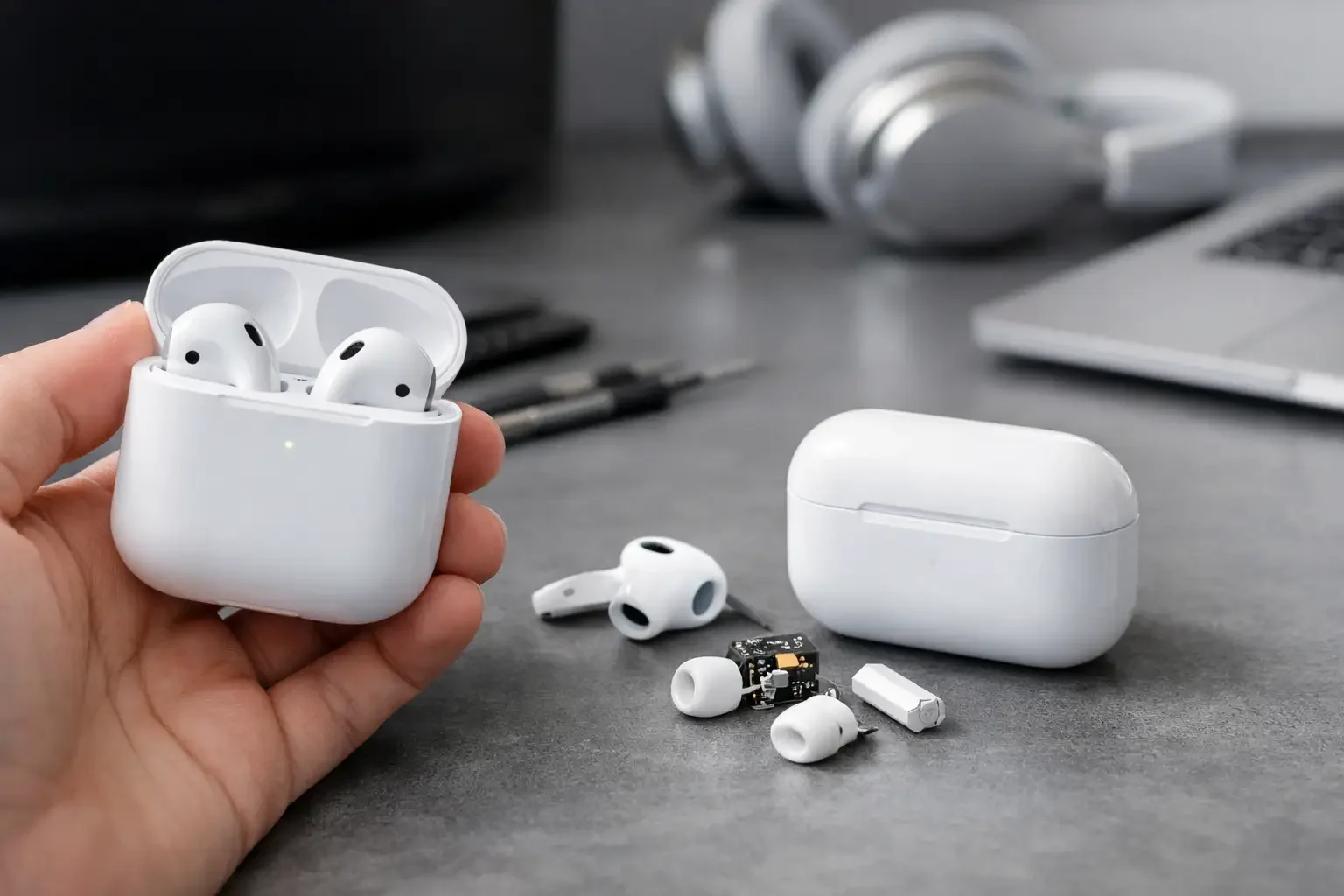
When looking for a solution for AirPods case replacement, it's not just about finding a compatible case. The real challenge is avoiding a wrong purchase: incorrect model, incompatible pairing, unstable charging, or components that only work partially. For those who repair or buy parts independently, the key is always the accurate identification of the case.
When Is AirPods Case Replacement Really Necessary?
The charging case is not just a simple container. It manages power, pairing, charging of the individual earbuds, and, in supported models, even wireless charging. If the case is faulty, the AirPods may seem perfectly functional but be unusable in practice.
The most common issues are quite apparent. The Lightning or USB-C connector may be loose, oxidized, or have damaged pins. The internal battery of the case might no longer hold a charge, resulting in very limited autonomy or sudden shutdowns. In other scenarios, the back button may not respond, the status LED may indicate anomalies, or the lid may have mechanical failures that compromise the correct housing of the earbuds.
Then there’s a typical lab scenario: functional AirPods, but a lost or irretrievable case. In this situation, replacement is not a classic repair, but a reconstruction of the operational kit. Again, compatibility is everything.
AirPods Case Replacement: Initial Checks to Make
Before ordering a replacement, it's crucial to accurately identify the generation of the AirPods. The most common mistake is relying solely on the external appearance. Many cases look similar, but they differ in internal electronics, pairing protocol, contact positions, and support for specific functions.
The correct check starts with the earbud model. It's not enough to know if they are AirPods, AirPods Pro, or AirPods 3. You need to verify the exact generation. A case for second-generation AirPods, for example, may seem interchangeable with that of the first generation, but confirmation should always be made technically, not visually.
For AirPods Pro, the margin of error is even lower. Differences between versions affect pairing, charging, and recognition. Even in cases where the earbuds physically fit into the case, this does not guarantee that the system is truly compatible.
How to Identify the Correct Model
The most reliable method is to cross-reference multiple data points. First, identify the earbud model. Then compare the code of the original case, if available. Finally, check the type of charging specified by the model: wired only, wireless, or MagSafe.
For a technician, visual inspection should be just the first step. The shape of the case, position of the LED, and type of hinge help, but they do not replace the verification of the model. This is especially true when the customer brings mixed components, perhaps from previous purchases or undocumented replacements.
If the original case is still available, even if faulty, it’s advisable to keep it until the replacement has been confirmed. It is the best reference to avoid incompatibilities. If the case is entirely missing, verification should be done on the earbuds by reading the model and comparing it with the correct family.
Replace Only the Case or the Entire Set?
It depends on the defect. If the earbuds charge, connect, and are correctly detected, replacing just the case is often the most rational solution. This is the typical case of a case with a depleted battery, a damaged charging port, or a compromised shell.
However, if there are doubts about the condition of the earbuds, it's wise to avoid hasty diagnoses. An earbud that doesn’t charge could be due to the case but might also result from dirty contacts, degraded internal batteries, or electronic problems with the individual module. In a lab setting, it’s useful to perform a cross-check with a case that is certainly compatible before finalizing the diagnosis.
From an economic perspective, replacing only the case makes sense when the rest of the system is healthy. If both earbuds already have low autonomy or connection issues, the overall cost of the intervention should be assessed more carefully.
Original, Compatible, or Used: What’s the Difference?
This requires a practical approach. An original or equivalent quality case reduces the risk of pairing, charging, and battery recognition anomalies. An inexpensive compatible replacement may seem like a bargain, but in Apple audio products, the tolerance for errors is limited.
The point is not only whether the case lights up the LED or charges the earbuds. Durability over time, proper management of the internal battery, alignment of contacts, and quality of electronics matter. A low-quality case can introduce intermittent problems, which are the most costly to manage because they waste time on testing and returns.
Used is another option, but it comes with an additional variable: the actual condition of the case's battery. Without reliable verification, there’s a risk of purchasing a case that is already near the end of its cycle. For those working with volumes or wanting to minimize returns, it's a choice to filter carefully.
Pairing Procedure After Replacement
Once the new case is installed, the key step is the correct pairing with the earbuds and the Apple device. In many cases, it’s enough to insert both AirPods into the case, close it for a few seconds, reopen it, and use the setup button. However, the procedure may vary by generation.
If pairing fails on the first attempt, it doesn’t necessarily mean that the case is defective. First, it’s advisable to check the minimum charge of the case, cleanliness of the internal contacts, charge status of each earbud, and removal of the old pairing from the device. Firmware can also affect this, especially when combining components from different sets.
In assistance contexts, it's good practice to always complete a final test. Opening the case, detecting the pop-up, charging both earbuds, correctly closing the session, and verifying the initial autonomy are quick but useful checks to avoid disputes.
Common Mistakes in Case Replacement
The most widespread error is buying by commercial name rather than by precise model. "AirPods Pro" or "standard AirPods" are not sufficient definitions for ordering a replacement without risk.
A second mistake is neglecting the type of charging. Some users seek a simple replacement case and end up with a version different from what was intended, for example, one without wireless charging or with specifications not aligned with the original. It's not always a blocking issue, but it should be clarified before purchase.
The third mistake is testing the case too quickly. If the internal battery arrives depleted, the initial signals can be misleading. It’s advisable to perform a complete initial charge and only then assess stability, earbud connections, and LED behavior.
Finally, there’s the topic of expectations. Changing the case does not resolve audio defects, microphone issues, or drops in earbud autonomy. It addresses case problems, not those of the rest of the system.
How to Choose the Right Replacement Effectively
For a correct choice, few data points are needed, but they must be the right ones: AirPods family, exact generation, type of requested case, and condition of the earbuds to be paired. This approach reduces wasted time and erroneous orders.
Those buying for professional use have an additional need: operational continuity. Therefore, it’s wise to rely on a supplier with a catalog organized by model and component, where replacement classification is clear and compatibility is legible without ambiguity. In a context like iPhoneHospital.it, this approach aligns with the daily work of labs and technicians who need to find the correct part without unnecessary steps.
When possible, it’s helpful to distinguish between urgent needs and preventive replacement from the outset. If the case is already out of service, the priority is rapid restoration. If it only shows a drop in autonomy or an uncertain connector, replacement can be planned before a complete failure, avoiding device downtime and customer returns.
Is It Worth Repairing the Case or Replacing It?
In most cases, replacement is more efficient than repairing a single case. AirPods cases integrate battery, board, and structure in very tight spaces. Internally intervening requires time, equipment, and a risk assessment that doesn’t always justify the outcome.
Repairing may make sense in specific scenarios, for instance, for localized mechanical issues or limited damage. But when the defect involves power supply, battery, or internal logic, complete replacement often remains the quickest and most predictable route. For those working with volume, predictability and reduced timing are as important as component cost.
If there’s a truly useful criterion in AirPods case replacement, it’s this: first identify accurately, then purchase. A correct case saves time, avoids returns, and gets the device back in use without unnecessary steps.
https://www.iphonehospital.it/en/airpods-spare-parts-pro/guscio-box-ricarica-cuffie-airpods-pro-2
Parts and Useful Tools: iPhone Parts