


How to Choose a Compatible iPhone Battery
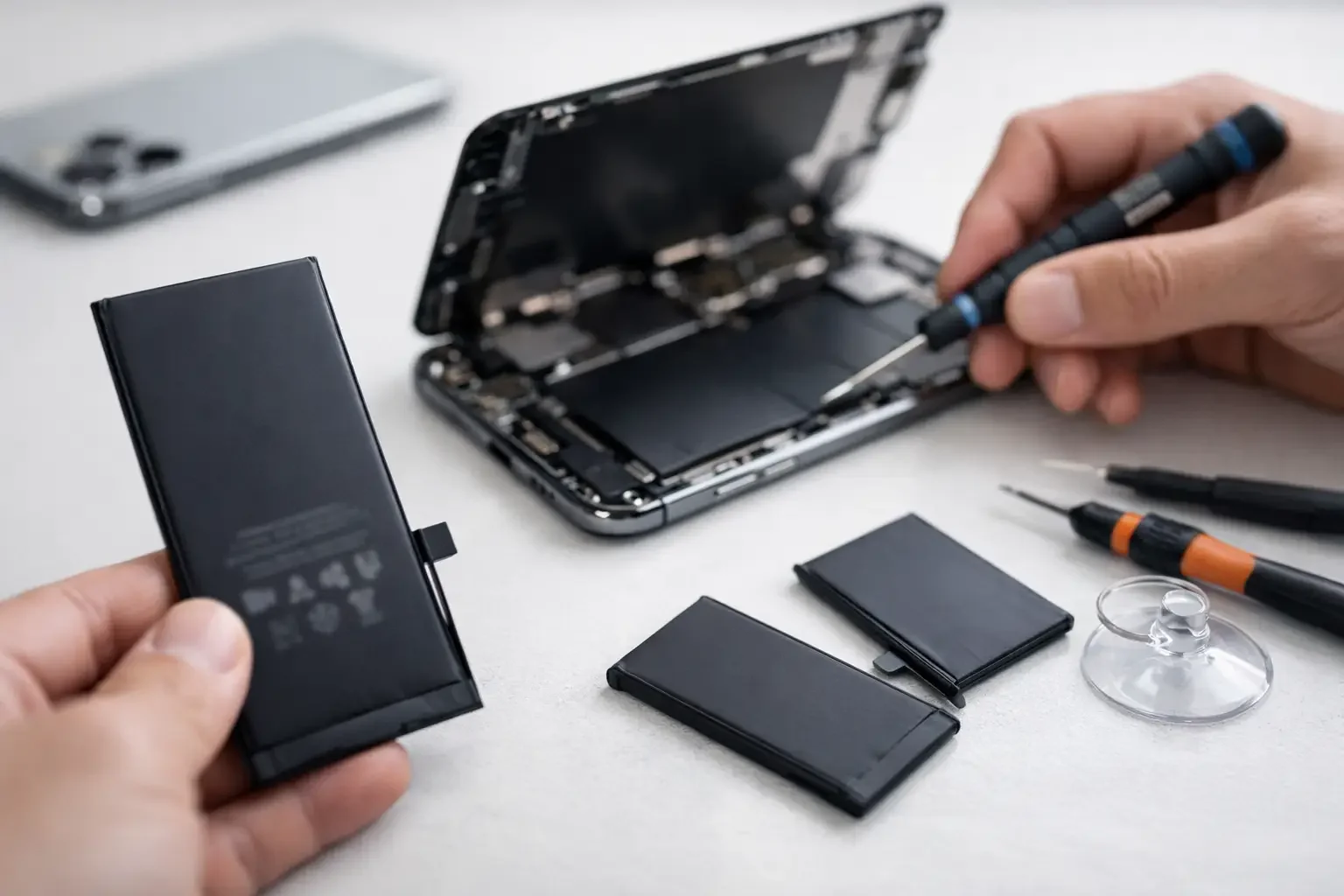
When an iPhone battery arrives at the shop, the issue is rarely just about which model to buy. The real point is understanding how to choose a compatible iPhone battery while avoiding mistakes regarding the connector, management electronics, adhesives, flex, and actual cell quality. A battery that physically fits the device but does not communicate properly with the logic board can turn a simple replacement into a customer return.
For professionals in repair, compatibility never equates to a generic description like "for iPhone 11" or "high capacity." A more technical evaluation of the spare part is needed because internal layouts, flex position, support for monitoring functions, and charging behavior often change between very similar models. The same logic applies to experienced users who buy independently: first, identify the device, then assess the quality of the replacement.
How to Choose a Compatible iPhone Battery Without Errors
The first filter is the exact model of the device. Not just the commercial family, but the correct variant. An iPhone Plus does not use the same battery as the standard version, and differences between consecutive generations are often less visible than they appear. When working on already opened or refurbished devices, always verify the part number of the removed component and the condition of the connector on the board.
Next comes mechanical and electrical compatibility. The battery must have a shape, size, flex seat, and connector that are consistent with the frame and the board. Even minimal tolerance on cable routing can create stress during reassembly, risking bending the flex or crushing the connector under the plate.
The third level is functional compatibility. This involves the integrated chip, charging management, and communication with the system. In more recent models, the goal is not just to power the device but to reduce abnormal messages, unstable battery health readings, or irregular behavior during startup and charging. Not all aftermarket batteries perform the same way.
Identifying the Correct Model Before Purchase
The safest method is to start with the device's model code and cross-check it with the technical data sheet of the replacement. A typical mistake is relying solely on the commercial name provided by the customer or the operator's memory. In the shop, this step can waste time, especially with devices that have already gone through other repairs.
If the phone still turns on, verifying the model is immediate. If the device is locked, not charging, or has already had the battery disconnected, it's wise to check the code on the shell, the internal layout, or the mounted components. In Apple models, the external similarity between different versions can be deceptive, while the correct replacement requires a complete match.
Another practical point concerns product revisions. Some replacements are classified by series or extended compatibility, but this does not always mean total interchangeability. Therefore, structured catalogs for specific models provide an operational advantage: they reduce the likelihood of ordering a battery that is only seemingly compatible.
Be Cautious with Similar Models
The iPhone X, XS, XR, 11, 11 Pro, and Max versions are a classic case. Similar names, different frames, different batteries. The same goes for SE, Mini, Plus, and Pro. The broader the range, the more essential it becomes to work with codes rather than similarities.
Battery Quality: What to Really Look For
The stated capacity alone says little. A "high-capacity" battery may look appealing on paper, but if the cell quality is poor or the protection circuit is unstable, the initial advantage translates into inconsistent autonomy, overheating, or premature degradation. In professional settings, the consistency of performance over time is far more important.
At the very least, four aspects should be evaluated: cell quality, chip stability, construction precision of the flex, and assembly reliability. A well-constructed battery offers regular discharge curves, controlled temperatures, and predictable charging. A cheap, poorly selected battery may function at the bench for a few minutes and then show sudden drops under load.
The specific weight of the replacement and overall finish can also provide insights. While not definitive tests, in many cases they help distinguish a product built with minimal criteria from one designed for professional use. Approximate labels, imprecise soldering, and poorly cared-for adhesives often indicate generally low quality.
Nominal Capacity vs Real Capacity
A compatible battery must first and foremost be credible. If the stated capacity is far from the expected values for that model, it's prudent to halt and verify. Excessive promises rarely translate into stable performance. For those managing high repair volumes, a realistic and repeatable specification is preferable to an aggressive but unreliable technical sheet.
Chip, System Messages, and Post-Installation Behavior
In the more recent Apple models, the relationship between the battery and the system has become more sensitive. This doesn't mean a compatible battery can't work well; it just means it needs to be chosen carefully based on the expected outcome. Some customers accept functional replacement with potential informational limitations, while others require software behavior as consistent as possible.
Here, the distinction is important: a battery can be fully operational electrically but generate notifications of unrecognized components or incomplete health status readings. In a B2B context, this must be managed before ordering and before installation to avoid later disputes.
For this reason, it's advisable to always read the product specifications and verify whether the replacement is a standard compatible part, an enhanced electronic version, or a solution designed for more advanced technical procedures. The cost varies, but so does the final outcome.
Adhesives, Flex, and Details Impacting Work
A correct battery must not only function; it must also be installed properly. Coherent fastening adhesives, flex with precise bends, and well-aligned connectors reduce assembly time and lower the risk of collateral damage. These are details the end customer doesn't see, but in the shop, they make the difference between a smooth intervention and a problematic one.
If the flex is too rigid or too short, installation becomes forced. If the adhesives are subpar, future removal will be more complicated or less secure. If the connector has irregular tolerances, it increases the risk of false connections or abnormal pressure on the board.
In a well-organized technical catalog, the availability of spare parts and complementary materials within the same purchasing flow is a concrete advantage. In this regard, a structured supplier like iPhoneHospital.it simplifies intervention management as it allows for sourcing the battery, adhesives, and tools in the same operational context.
Tests to Perform Before Sealing the Device
After installation, the check shouldn't be limited to just turning on the device. A serious minimum test includes regular charging absorption, absence of unusual overheating, stable percentage readings, correct rebooting, and connector verification. If the device was already experiencing charging issues, it's useful to immediately distinguish a battery defect from a limitation on the dock, Tristar, or other sections of the board.
A good check also includes brief observation under load. Opening apps, increasing brightness, testing standby and initial charging helps determine if the battery holds up consistently. Critical issues often emerge in the first few minutes, not necessarily at the moment of the initial startup.
When the Problem Is Not the Battery
If the iPhone continues to turn off, doesn't charge correctly, or shows percentage jumps, the replacement is not always to blame. Worn dock, unstable charging line, abnormal board consumption, or liquid damage can simulate a battery defect. Thus, the choice of component should always be considered within a correct diagnosis.
How to Choose a Compatible iPhone Battery Based on Usage
For a shop handling frequent interventions, the priority is the repeatability of results. It's better to have a replacement with consistent quality standards, a clear product sheet, and regular availability than a sporadic battery bought solely on price. The initial savings can be negated by returns, reworks, and time lost at the bench.
For the advanced user replacing just one battery, however, the main criterion should be avoiding generic products with vague compatibility. A replacement declared for the exact model is needed, with consistent specifications and clear provenance. If essential technical data is lacking, it's already a signal to consider.
The right choice, in practice, arises from the intersection of the correct model, construction quality, and expectations for software behavior. When these three elements align, compatibility stops being a commercial label and becomes a technical result. And this is what truly reduces issues after the replacement: not finding "a battery that works," but finding the one suited to that specific iPhone and that precise repair standard.
Useful parts and tools: Batteries