


How to Choose Compatible Samsung Spare Parts
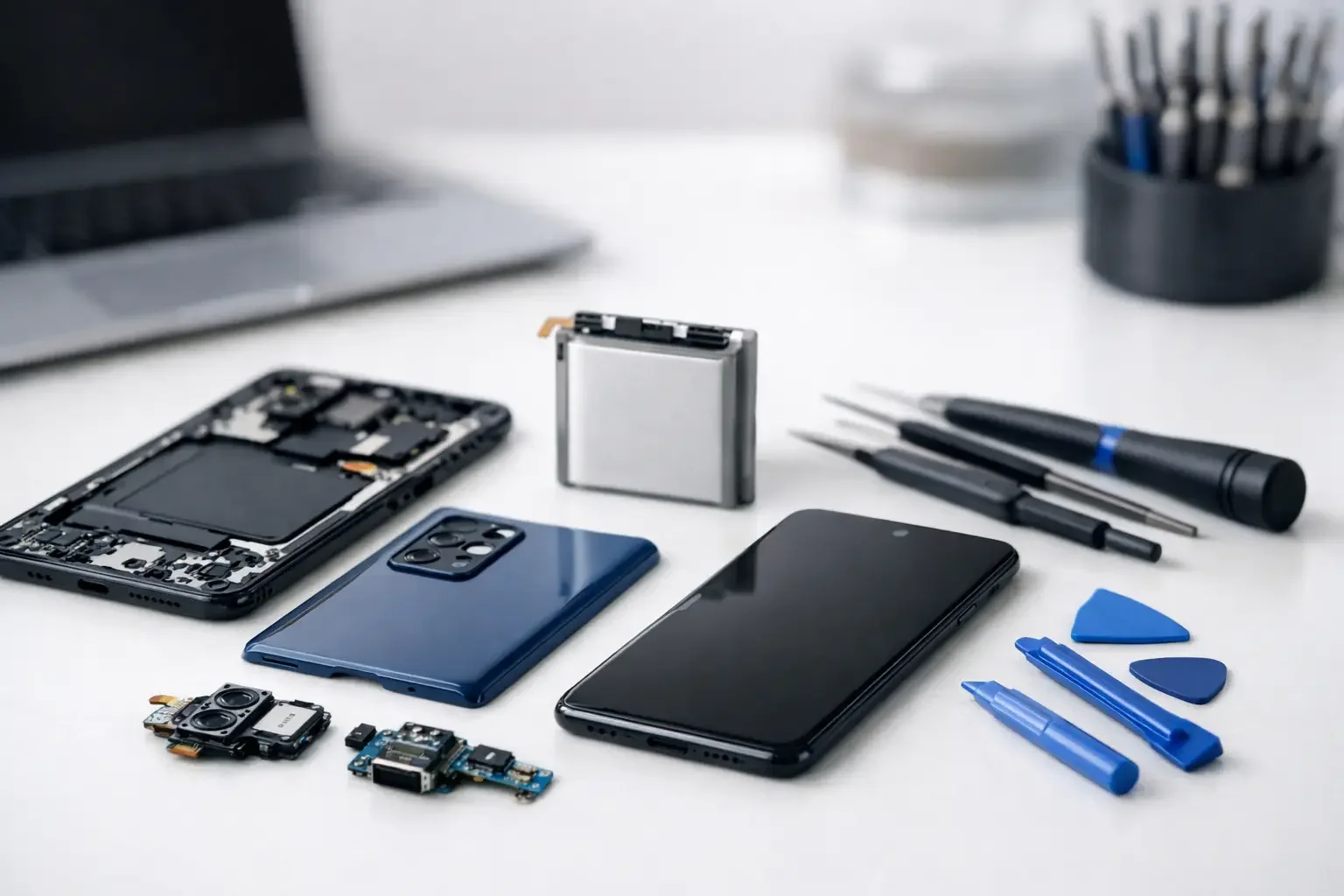
A display that lights up but doesn't respond to touch, a battery with irregular longevity, or a charging connector that only works in one position do not require the same diagnosis. Buying Samsung spare parts without checking the model, hardware revision, and actual symptoms can turn a quick intervention into a second disassembly. For workshops, service shops, and independent technicians, compatibility is not a catalog detail: it determines processing times, margins, and the reliability of the repair.
Samsung Spare Parts: Start from Diagnosis, Not the Component
The first step is to separate the perceived defect from the actual cause. A phone that won't charge, for example, may have a worn USB-C port, a defective sub-board, a degraded battery, a damaged flex cable, or an issue on the motherboard. Ordering the charging connector directly without preliminary tests exposes one to unnecessary purchases and leaves the device down for longer.
The diagnosis should include visual checks, functional tests, and, when available, electrical measurements. Checking for oxidation, FPC connector integrity, battery voltage, and the device's response with a bench power supply helps narrow down the fault. In models with a separate sub-board, replacing the entire module can be quicker and safer compared to micro-soldering the single connector, but it depends on the damage and the cost of the intervention.
A broken glass does not always imply replacing the entire display. If the image and touch are intact, glass regeneration can be evaluated by a well-equipped lab. However, for most service centers, the complete display module remains the solution with more predictable timing and lower operational risk.
Identify the Exact Model
Commercial families are not sufficient. “Galaxy A,” “Galaxy S,” or “Galaxy Tab” identify a series, not the exact device. Variants with similar sizes may use different displays, batteries, flats, cameras, and chassis. Before searching for a spare part, the complete model code needs to be captured, typically available in the device settings, on the back, on the SIM tray, or on the internal label.
A code like SM-G or SM-A allows for a more reliable distinction among market variants. One must then check if it is a 4G, 5G, dual SIM version, with specific connectivity or intended for a particular market. The difference can particularly affect sub-boards, antennas, connecting flats, frames, and radio components.
Check Revision, Color, and Included Components
A compatible spare part must match not only the model but also the required configuration for the intervention. In displays, it’s advisable to verify whether the module includes frames, ear speakers, grids, adhesives, sensors, or other small elements. A display with a frame reduces the time needed for component transfer from the original chassis and limits risks associated with warping or glue residues; however, it requires attention to color matching and version.
For back covers, frames, and aesthetic parts, color is not just a visual choice. Some finishes may have different layouts for antennas, cameras, or buttons. For batteries and flats, comparing printed codes, shape, connector position, and cable length can avoid errors that a mere external similarity may not reveal.
Samsung Displays: Quality, Technology, and Trade-offs
The display is the spare part that most significantly influences the final perception of the repair. In OLED or AMOLED models, a non-equivalent panel in terms of technology, brightness, or color rendering can noticeably change the user experience. It is therefore useful to differentiate between original modules, service packs, refurbished, and compatible products, accurately reading the declared type for each product.
The choice depends on the value of the device, customer expectations, and the positioning of the service center. A premium spare part can offer performance close to the original and preserve functions like under-display fingerprint scanning, refresh rate, or touch sensitivity when supported by the model. A compatible alternative may be suitable for older devices or for budget-restricted repairs but should be proposed transparently.
Before the final bonding, the display must always be tested. Temporarily connect the module, turn on the phone, and check for image, touch responsiveness across the surface, brightness, proximity, fingerprint, and response of the side buttons. This check reduces disputes and prevents sealing a defective or incompatible component.
Batteries, Connectors, and Charging Modules
A battery to replace cannot be evaluated solely by the longevity claimed by the customer. Sudden shutdowns, unstable percentages, swelling, unusual heat, and slow charging are different signals that require different checks. A swollen battery must be handled with particular care: it should not be punctured, compressed, or subjected to excessive heat during device opening.
For Samsung battery spare parts, it is essential to verify capacity, code, connector, and shape. Installing a component that doesn't perfectly match can create stresses on the frame, interfere with the back cover, or cause connection issues. After installation, perform a few cycles to verify wired charging, standby consumption, and temperature during use.
For charging defects, professional cleaning of the port remains a useful preliminary step when lint or compacted residues are present. If the connector is mechanically damaged, replacing the sub-board or the charging flat may be preferable to spot repair. In models where the microphone, antenna, jack, or other elements are integrated into the same module, the test must involve all affected functions before closing.
Cameras, Speakers, and Flats: Avoid Guessing Replacements
A blurred image does not automatically indicate a defective camera. Before ordering the module, check the external lens, cover glass, presence of condensation, stabilizer, connector, and the behavior of the camera app. If the phone shows a black screen only when switching to a specific lens, the fault is more localized; if the app closes or does not launch any camera, the cause can be broader.
The same criterion applies to speakers, ear speakers, and vibration. Low audio can stem from a blocked grille, a damaged membrane, or a defect in the module. After each replacement, test calling, speakerphone, voice recording, multimedia playback, and vibration. Full functional testing takes only a few minutes, while returning to the lab can take much longer.
Tools and Materials for Controlled Assembly
The quality of the spare part does not compensate for an opening performed with unsuitable tools. For interventions on Samsung smartphones, precision tools, controlled heat sources, suction cups, picks, anti-static tweezers, screwdrivers with the correct tip, and adhesive removal materials are needed. The use of improper blades or excessive heat increases the risk of damaging displays, covers, coaxial cables, and wireless charging coils.
To close the device, pre-cut adhesives and specific double-sided tapes help maintain a neat assembly. They do not automatically restore the original waterproof certification: this condition depends on many factors, including the state of the frame, closing pressure, and integrity of the seals. It is correct to communicate this limitation to the customer, especially after interventions on the display, battery, or back cover.
An organized workspace also reduces reassembly errors. Separating screws by position, ESD protection, containers for small components, and photographic control before disassembly are simple yet effective procedures. For those managing multiple models daily, laboratory equipment is part of the spare part: it allows for its correct installation and the delivery of a verified device.
When It’s Advisable to Replace the Complete Module
Replacing a single element is convenient when the fault is well-localized and the lab has the necessary skills. Full module replacement is often preferable when it includes multiple wear-prone parts, reduces working times, or avoids high-risk operations. A USB-C connector soldered on the board, for instance, requires micro-soldering expertise; a pre-complete sub-board can be a more efficient choice if available for that model.
There is no one-size-fits-all solution. For a recent and valuable device, it makes sense to prioritize components and procedures that maintain performance and original finishes as much as possible. For an older terminal, the customer may prefer an economically sustainable repair, as long as the compromise on quality or features is explained prior to the intervention.
Before confirming the order, always compare model codes, technical descriptions, component photos, and the configuration to be replaced. Ten minutes dedicated to verifying compatibility are often the most concrete way to avoid returns, delays, and second repairs. The correct spare part is not simply one that fits into the device: it is the one that restores the required function, installs without improper adjustments, and allows for the delivery of a controlled job.