


Professional Smartphone Repair Tools
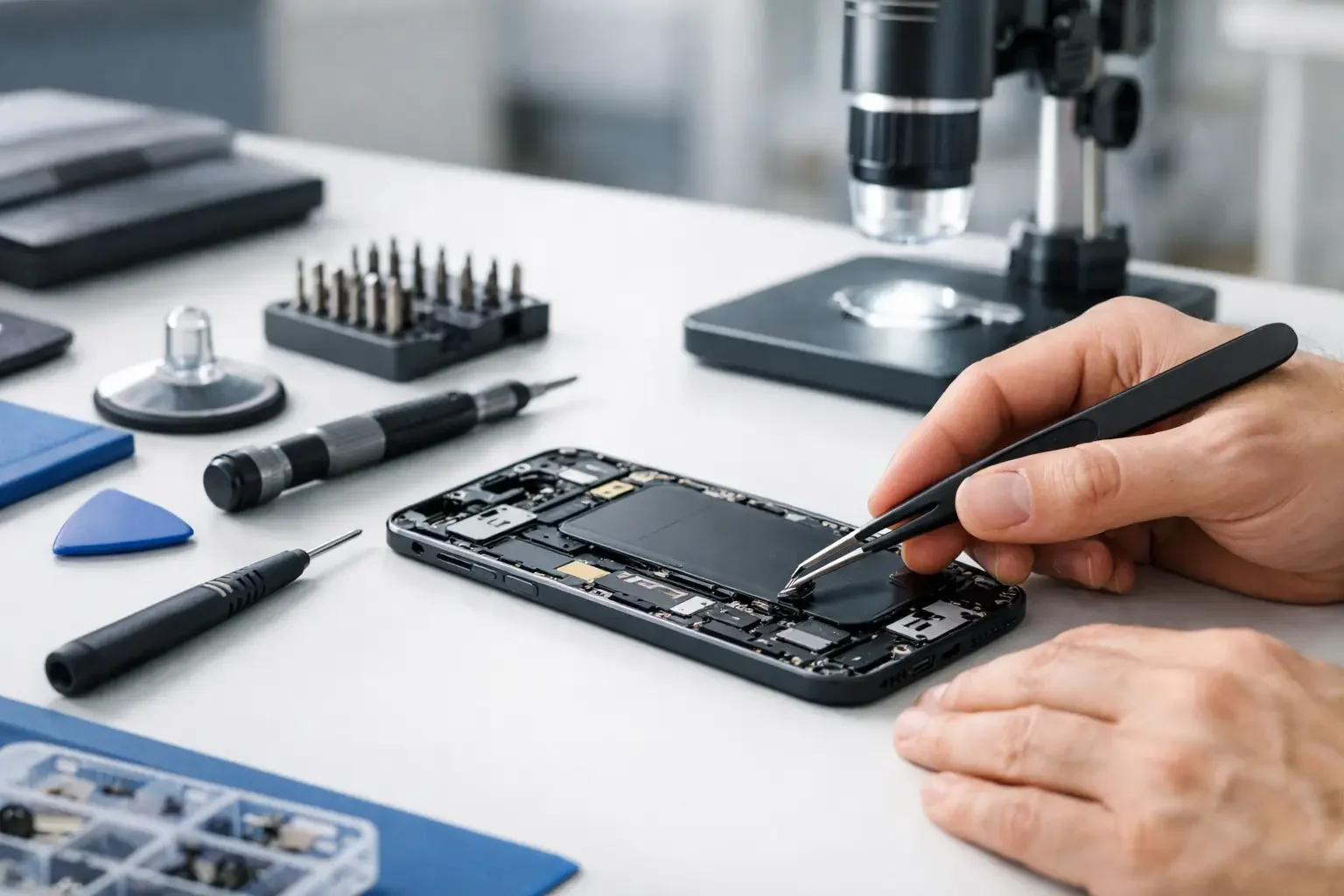
An OLED display that cracks upon opening, a glued battery that deforms, a stripped screw on the frame: just one wrong tool can turn a simple repair into a return, or worse, into irreversible damage. When it comes to professional smartphone repair tools, the point is not to fill the bench with accessories, but to choose equipment that is consistent with the jobs that truly enter the lab.
Those who repair iPhones, Samsungs, or other devices continuously know that the difference between clean work and risky intervention comes from very concrete details: temperature control, tip quality, adhesive management, precision under microscope, ESD protection. The right equipment reduces downtime, limits errors, and makes the final result more predictable.
Professional Smartphone Repair Tools: What Really Changes
The difference between consumer equipment and professional-grade tools is not just in price. What matters is the repeatability of work. An inexpensive screwdriver may open a phone, but after dozens of interventions, issues like play, wear, and grip loss start to arise. The same applies to suction cups, levers, tweezers, heat mats, and air stations.
In the lab, tools that maintain consistent tolerances and predictable behavior are essential. A tweezer with a poorly aligned tip can create more problems than it solves. A separator that distributes heat poorly increases the risk to OLEDs and thin glass. An unstable soldering station complicates pads, FPC connectors, and microcomponents.
This is why the choice should be made based on the type of intervention, not on impulse. If the main flow involves batteries, displays, back covers, and connectors, the priority is a workbench line focused on safe disassembly and proper re-gluing. If the lab also works on motherboards, standards, budget, and learning curves change.
Basic Bench Equipment
Every serious workstation starts with a few elements, but well-chosen ones. The screwdriver set should cover at least pentalobe, tri-point, Phillips, and Torx in sizes actually used on smartphones and tablets. The tips must maintain grip and profile; otherwise, the risk of stripping small screws increases immediately.
Plastic levers, opening picks, spudgers, and suction cups are needed in almost every intervention. Here the trade-off is simple: tools that are too rigid speed up opening but increase the risk of marking frames, breaking glass, or damaging flats. Conversely, tools that are too soft waste time and become ineffective on stubborn adhesives.
Tweezers deserve a separate discussion. In a modern smartphone, they are used for adhesives, meshes, brackets, seals, screws, and tiny components. A good combination includes at least one fine straight tweezer, one curved, and one anti-magnetic. You don’t need dozens of models, but the ones present must be genuinely precise.
The magnetic mat or screw organizer is not an extra. On Apple devices and many recent models, managing screws is part of the job. Similar screws with different lengths can cause serious damage during reassembly. Properly separating and mapping prevents costly errors.
Controlled Heat: The Most Underrated Aspect
A large part of the breakages during repair occurs when heat is used carelessly. Back covers, batteries, displays, and perimeter adhesives require controlled temperatures and times consistent with the material. Generic heat guns and improvised heat sources may suffice for occasional jobs, but they are not a professional solution.
An adjustable hot air station offers greater control, especially when intervening on localized adhesives or sensitive components around the work area. For repetitive openings on displays and covers, heating plates and dedicated separators allow for more uniform heat distribution.
Here, a simple rule applies: the more expensive and delicate the component, the more thermal control matters. On OLEDs and thin frame modules, excess temperature or uneven distribution can create halos, micro-fractures, or distortions. Saving on this part of the equipment often costs more in the long run.
Power, Testing, and Diagnostics
Repairing well does not only mean disassembling and replacing. It also means verifying. A stable bench power supply is one of the most useful tools for preliminary and post-repair diagnosis. It allows you to read power consumptions, identify abnormal behaviors, and understand if the device reacts correctly before complete assembly.
The multimeter remains central as well. It is used for continuity checks, voltages, suspicious lines, fuses, and some quick verifications on charging circuits or connectors. It does not replace advanced micro-soldering instrumentation, but in many cases, it prevents blind replacements.
For labs that handle constant volumes, test fixtures and tools for activation or battery verification can be useful. They may not be a priority initially, but they become helpful when the focus is on reducing diagnosis times and standardizing checks.
Micro-soldering and Logic Board: Equipment for Another Level
When the lab tackles Face ID, backlight lines, FPC connectors, chips, and liquid damage, the scope changes. In this work tier, classic tools for professional smartphone repair are no longer sufficient in their basic version. A microscope, quality soldering station, stable hot air, suitable fluxes, selected tips, desoldering braid, PCB supports, and consistent consumables are necessary.
The microscope is not just a visual luxury. It improves precision, posture, and control. Working on small pads or jumpers improvising with cheap lenses is only possible up to a certain point. Beyond that, the margin for error increases and productivity decreases.
Here too, there is a trade-off. If the lab only performs sporadic soldering, investing immediately in a complete workstation may not be a priority. However, if the logic board is a real line of business, the equipment should be sized for continuity, not for emergencies.
Cleaning, Adhesives, and Closure: The Job Truly Ends Here
Many post-intervention problems arise during the final phase. Unreplaced seals, adhesive residues left on the frame, poorly secured batteries, covers closed with uneven pressure. This is why technical solvents, cleaning blades, adhesive removal papers or pads, shaped double-sided tape, and clamps have a concrete operational role.
A proper closure enhances aesthetics, sealing, and reliability. It does not mean chasing a false waterproofing where it cannot be guaranteed, but restoring the assembly as cleanly as possible. In labs that handle many displays and back covers, this phase also impacts the end customer's perception of quality.
How to Choose the Right Tools for Your Lab
The most common mistake is to buy very extensive and heterogeneous sets. It's better to start with the most frequent repairs. If 70% of the work involves display, battery, dock, and back cover replacements, the workstation should be built around safe opening, controlled heat, component organization, and re-gluing.
The second criterion is compatibility with the devices handled. Those who mainly work on Apple have precise recurring needs: dedicated screws, specific adhesives, attention to sensitive flats, and careful management of seals and small brackets. A mixed lab, with both Apple and Android, should prioritize a wider range of tips, supports, and flexible equipment.
The third criterion is the volume. In labs with only a few weekly interventions, some solutions may suffice. In high-volume situations, wear, cycle times, and repeatability weigh much more. In that case, it makes sense to upgrade to better manual tools, thermal equipment, and ESD workstations.
Errors to Avoid When Purchasing Equipment
The first error is to evaluate only the unit price. A poor tool that damages a frame or breaks a flat is more expensive than a good tool used for months. The second error is to ignore consumables: adhesives, fluxes, tips, blades, and cleaning pads impact the result just as much as the main equipment.
The third mistake is buying without a systemic logic. Workbench, lighting, screw organization, ESD tools, testing, and closure must all work together. An efficient lab is not one with the most items, but one where each step has the correct support.
For those who work daily with spare parts and technical equipment, having a supplier with a deep catalog simplifies this part as well. Sourcing tools, consumables, and compatible components in one context reduces purchase errors and downtime. This is why operational realities like iPhoneHospital.iT are chosen by many labs that need continuity, assortment, and model selection.
Professional Smartphone Repair Tools and Operational Return
Investment in the right tools is measured in three areas: time, margin, and risk. Opening and closing times shorten, collateral damage is reduced, and work predictability improves. This applies both to those managing a single bench and those with multiple technicians needing to standardize procedures.
However, there is no perfect list valid for everyone. A lab focused on quick replacements has different needs than one focused on data recovery or board repair. The best choice is one that follows actual work, not the one that looks best on paper.
If a tool helps you work with fewer corrections, less improvisation, and fewer returns, it is not an accessory cost. It is part of the repair itself.