


Samsung Display Selection Guide for Repair Technicians
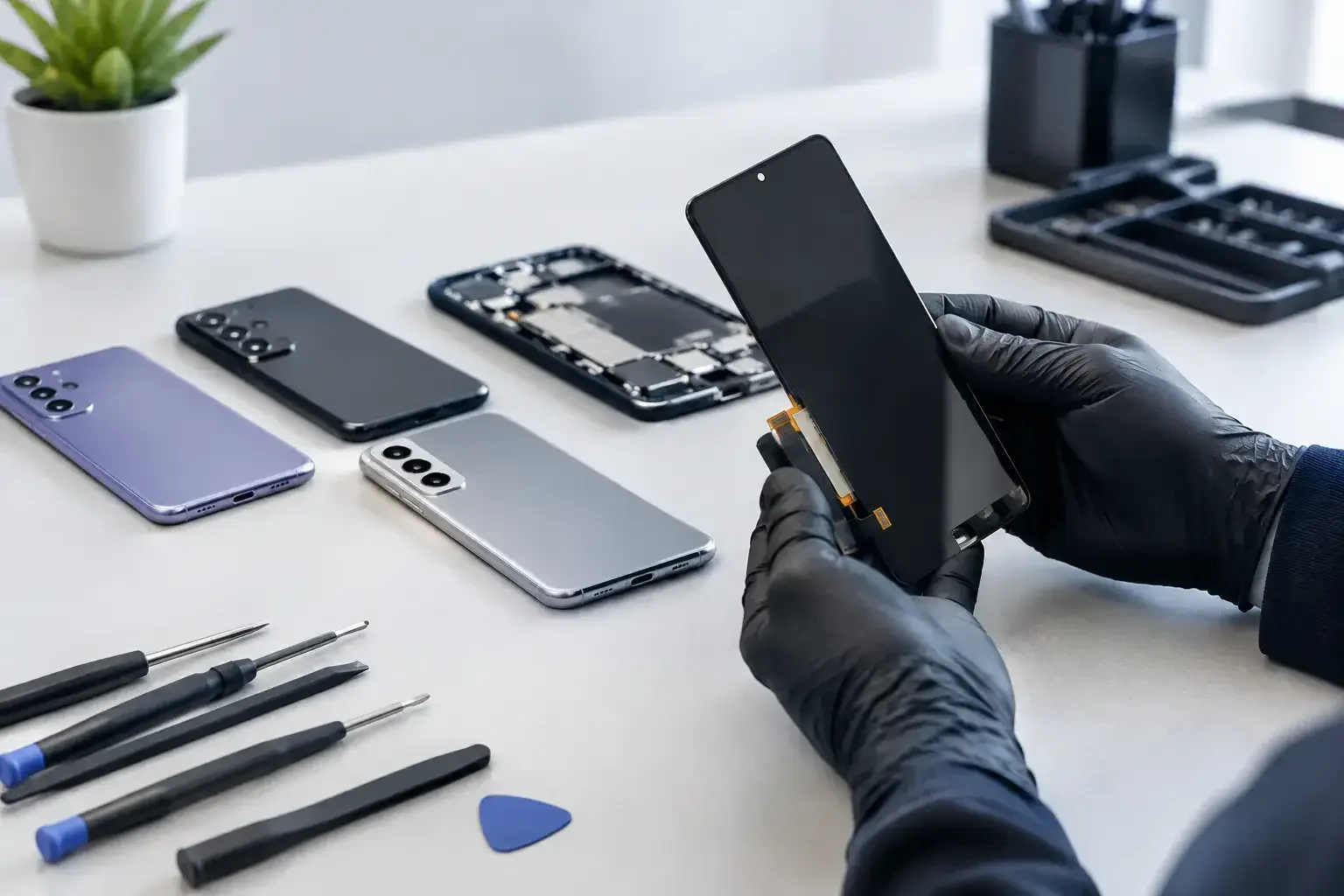
Choosing a Samsung display with the wrong part number can halt a repair before it even begins. This Samsung display selection guide is designed for labs, technicians, and experienced users who need to identify a compatible replacement, assess quality levels, and reduce returns, rework, and device downtime.
The first rule is simple: never choose a display based solely on diagonal size, frame color, or aesthetic similarity. In Samsung’s lineup, there are many variants that are very similar but often have different connectors, sensor holes, refresh rates, or fingerprint scanners. The correct reference is always the exact phone model and, when available, the complete model number.
Samsung Display Selection Guide: Start with the Exact Model
Before ordering, identify the device from the Settings menu, the frame label, or the code printed on the back of the casing. The commercial name alone may not be sufficient: Galaxy A, Galaxy S, Galaxy Note, Galaxy Z, and Galaxy M include variants for 4G, 5G, Dual SIM, and versions meant for different markets.
A Galaxy A52, for example, should not be confused with A52s 5G or A52 5G. Even when size and design appear interchangeable, the display assembly may have mechanical or electronic differences. The same principle applies to Ultra, Plus, and base models in the S series: a display for the Galaxy S23 is not automatically compatible with the S23+ or S23 Ultra.
To work efficiently, it's advisable to verify four elements before purchase:
- the complete model number of the device;
- the year and variant of the series;
- the presence or absence of the frame;
- the panel technology and functions that must be preserved.
In searching for Samsung replacement parts, selecting by model avoids the most common mistake: ordering a component that is only aesthetically compatible but not installable or fully operational.
Display with Frame or Without Frame
The choice between a frame-assembled display and a panel without a frame directly impacts repair time, operational risk, and margins.
A display with a frame typically includes the panel, touchscreen, and mid-frame. In many cases, it allows for transferring still-effective components such as the motherboard, battery, cameras, speaker, side buttons, antenna, and small flex cables into the new assembly. This is the preferred solution when the original frame is bent, when edges are damaged, or when speed and repeatability are required.
A display without a frame, on the other hand, requires separating the damaged panel from the existing casing. It can be a suitable choice if the frame is intact and the original device color is to be preserved but requires temperature control, suitable tools, and attention to the battery and side flex cables. On curved AMOLED models or those with particularly strong adhesives, the risk of damaging reusable elements increases.
For labs handling volumes, a frame assembly often reduces variables. The initial cost may be higher, but it should be weighed against technical time, the likelihood of frame deformations, and the risk of needing to reopen the device after assembly.
OLED, AMOLED, TFT, and Replacement Quality
Samsung widely uses OLED and AMOLED panels, especially in mid-range and high-end series. These displays offer deep blacks, high contrast, and color reproduction consistent with the manufacturer’s expectations. When replacing an original AMOLED with a compatible LCD or TFT solution, the repair may yield a functioning phone, but visible and functional differences can occur.
A TFT panel may have greater thickness, different brightness, less deep blacks, and varied power consumption. In devices with an under-display fingerprint sensor, an alternative technology may limit or compromise the functionality of the reader. This is not a universal flaw of compatible replacements; it depends on the model, panel structure, and assembly quality. However, this aspect should be clearly communicated to the customer before the intervention.
The choice should thus be linked to the intended use. For a high-end phone, for a customer using multimedia content, or for a recent device with high refresh rates, priority should be given to a quality AMOLED panel. For an older, secondary device, or one intended for essential operational use, a compatible solution may be cost-effective if the compromise is explicitly communicated and accepted.
Original, Service Pack, and Compatible
Commercial definitions are not interchangeable. An original display or service pack is generally intended to replicate specifications, colors, touch sensitivity, and integration expected for that model. A compatible display may deliver good results but must be evaluated against concrete parameters: brightness uniformity, touch response, glass quality, edge precision, color rendering, and reliability of the flex cable.
To avoid disputes, do not present all options as equivalents. A clear product classification allows the technician to propose alternatives with a coherent cost-performance ratio and the customer to choose wisely.
Functions That Must Remain Operational
A display is not just about the image. In recent Samsungs, it can interact with sensors, front camera, fingerprint reader, refresh rate, and automatic brightness adjustment. Therefore, compatibility checks must extend beyond the connector.
In models with ultrasonic or optical fingerprint sensors under the screen, explicitly check that the replacement supports the function. The sensor may require software calibration, specific panel quality, or correct adhesive application. Even a film that is too thick could worsen fingerprint recognition after repair.
Be attentive to displays with refresh rates of 90 Hz or 120 Hz. A panel that operates only at 60 Hz may seem to work but alters perceived fluidity and lowers the value of the intervention on devices designed for superior performance. Finally, in foldable models, do not improvise: internal display, external display, hinge, frame, and adhesives are closely related parts.
Display Testing Before Adhesive Application
Bench testing before closure is mandatory. Connect the new display, power on the device, and check the image, touch, brightness, proximity sensor, fingerprint, and front camera when involved in the assembly. It’s also useful to test charging and side buttons if frame assembly requires transferring flex cables.
Check the panel against light, dark, and colored backgrounds. Look for dead pixels, halos, vertical lines, flickering, and dead touch areas. An intermittent defect detected before adhesive application is manageable; the same defect discovered after applying seals results in wasted time and new consumables.
Before sealing, remove adhesive residues from the frame, check the flatness of the seat, and use double-sided tape or glue suitable for the type of repair. An uneven fastening can create dust ingress, glass lifting, or abnormal pressure on the panel.
Tools and Repair Management
The quality of the result also depends on the equipment. To properly open the device, it requires non-aggressive opening tools, controlled heat sources, precision tweezers, and screwdrivers with appropriate tips. Working with improper tools increases the risk of scratching the cover, cutting a flex cable, or distorting the frame.
During disassembly, disconnect the battery before intervening on the display connectors. Keep screws and shields organized, as different lengths inserted in the wrong seat can damage the frame or the board. If the device has experienced significant impacts, also check the battery, frame, and connectors: replacing only the display on a deformed casing can result in an imperfect closure.
The correct choice does not always coincide with the least expensive replacement. It means purchasing the Samsung display compatible with the exact model, proportionate to the quality required, and suitable for the mounting method available in the lab. Checking these aspects before ordering transforms a potentially uncertain repair into a faster, controllable, and sustainable intervention for both the technician and the customer.