


When to Replace Your Apple Watch Display
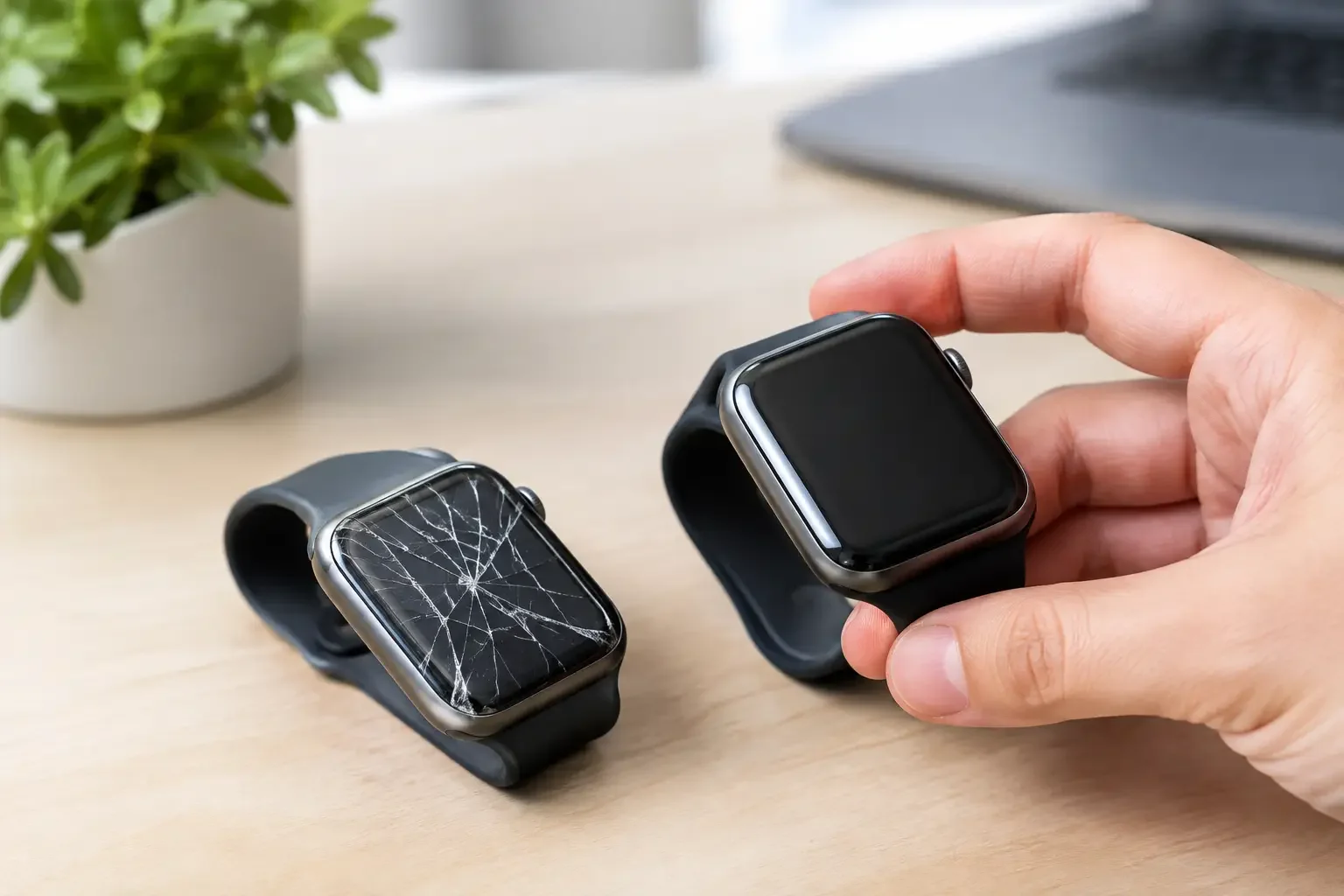
An Apple Watch with a cracked glass can still receive notifications and track activities, but it isn't necessarily a usable or safe device. Knowing when to replace your Apple Watch display helps avoid hasty diagnoses, incompatible orders, and unnecessary returns to the lab: the decision hinges on visible damage, touch response, image quality, and the condition of the case.
On this device, the display, front glass, OLED panel, and touch form a very compact assembly. Therefore, in most interventions, the correct solution isn't just to change the glass, but to replace the entire display unit that is compatible with the specific series, size, and model variant.
When to Replace Your Apple Watch Display
Replacement is necessary when the damage affects one or more essential functions: display, touch, readability, or protection of the internal module. A superficial crack doesn’t always render the watch unusable, but it can escalate quickly due to impacts, sweat, dust, and humidity. If the glass has sharp edges or missing parts, the device should not continue to be used.
The most immediate case is a broken display after a fall. If you see cracks, dark spots, vertical lines, colored stains, or completely black sections, the OLED panel is likely damaged. In this situation, it’s not enough to assess aesthetics: even if the image is still partially visible, pressure on the damaged glass can exacerbate internal damage.
Replacement should also be considered when the display lights up, but the touch responds erratically. Ghost touches, dead zones, scrolling difficulties, and actions triggered without contact are typical symptoms of a compromised digitizer or a damaged connection after impact.
Another relevant signal is the display detaching from the case. If the module lifts along the perimeter, it shouldn’t just be resealed with adhesive. One must first rule out a swollen battery, a condition that can push the display outward. In this case, the priority replacement is the battery; the display should only be replaced if it shows wrinkles, cracks, damage to the flex, or loss of functionality.
Symptoms to Distinguish Before Ordering the Replacement
Not every Apple Watch with a black screen requires a new display. Essential diagnostics reduce costs and limit replacement of functional components. If the watch vibrates, makes sounds, receives calls, or appears in the Watch app on your iPhone, but does not show images, the display or its connection are the main candidates for inspection.
If, on the other hand, there are neither vibrations nor signs of starting up, the problem may involve the battery, charging circuit, side button, logic board, or liquid damage. Before attributing the failure to the screen, it’s helpful to check the power absorption with controlled power and the state of the battery, according to the lab's established procedure.
Even a very faint image deserves attention. On some models, the display may seem off, while with a light source and the correct angle, graphical elements can be faintly seen. This check helps separate a display failure from a failure to start, but does not replace the inspection of connectors and the module.
In devices affected by liquids, replacing the display should not be the first and only action taken. Corrosion on connectors, residues under the module, or oxidation on the board can cause intermittent faults even after installing a new panel. It is advisable to inspect, clean, and test the device before final closure.
Broken Glass or Complete Display Module?
For a well-equipped technician, glass regeneration can theoretically be possible only under specific conditions: perfectly intact OLED, fully functional touch, no deformations, and availability of dedicated equipment for separation, lamination, and bubble removal. This is not equivalent to a standard display replacement.
In standard repair, the complete unit is the most predictable option. It reduces the risk of damaging a thin OLED during glass separation and allows delivery of a device with the touch and panel already integrated. The component cost is higher than that of just the glass, but the comparison should consider technical time, waste percentage, warranty of the intervention, and reliability of the result.
For labs handling high volumes, the choice depends on their production line. Those with machinery, consumables, and trained personnel may consider recovering the panel. For single repairs or damages involving the OLED, the complete display remains the most rational operational solution.
Compatibility: Series, Size, and Model Code
Compatibility should not be determined solely by external appearance. Two Apple Watches with similar sizes may use different displays, flex cables, and geometries. Before purchasing, it’s essential to accurately identify the series, case size, and model code located on the back of the device or in the information of the associated Watch app.
Sizes 38, 40, 41, 42, 44, 45, and 49 mm are not automatically interchangeable. Even within the same family, a module may change in shape, connectors, frame, component positions, or hardware revision. GPS and Cellular variants also require specific checks on the replacement intended for that model, without relying solely on display size.
Before removing the damaged module, it’s useful to compare the replacement with the original component: visibility area size, arrangement of the flex cables, frame shape, and identifying references. This simple step avoids discovering an incompatibility once the device is already open.
Operational Checks Before Closure
An Apple Watch display must be tested before final adhesion. After connecting the flex cables and before applying the new perimeter adhesive, check for power, image quality, panel uniformity, touch response across the entire surface, and the functioning of the digital crown and side button.
Also check that the display sits properly without tension. A module mounted on a bent case, with adhesive residues or an expanding battery can lift again. Cleaning the seat and using compatible adhesive are part of the intervention, not just an aesthetic detail.
Water resistance deserves clear communication to the customer. After opening, it's incorrect to automatically guarantee the original waterproof performance. Even with new adhesive and careful assembly, integrity depends on the condition of the case, support surfaces, seals, and quality of the procedure. If the lab has the equipment, a dedicated test can provide a concrete check; in the absence of tests, it's prudent to recommend avoiding immersion and water jets.
When Repair is Not Cost-Effective
Replacing the display may not be cost-effective if the panel damage is compounded by extensive corrosion, a deformed case, a faulty logic board, or a swollen battery with damaged flex cables. In these cases, the estimate should separate confirmed failures from possible ones, avoiding presenting the display alone as the certain solution.
The value of the model also counts. On older Apple Watches, the quality of a display and labor time may approach the residual value of the device. For an end customer, the choice may be to replace the watch; for a technician, recovery makes sense only if the other components are intact and the replacement is correctly identified.
Those who work on several generations of Apple Watch can organize their supply by series and size, keeping displays, batteries, adhesives, and opening tools separate. iPhoneHospital.it offers a dedicated category for Apple Watch spare parts, useful for identifying the component by model and reducing lab downtime.
The rule of thumb is simple: replace the display when the damage is real and diagnosed, not just because the screen appears black or the glass is marked. A thorough check of the panel, touch, battery, connectors, and frame leads to the correct replacement and a repair that remains reliable even after delivery.