


What iPad Parts Do You Really Need
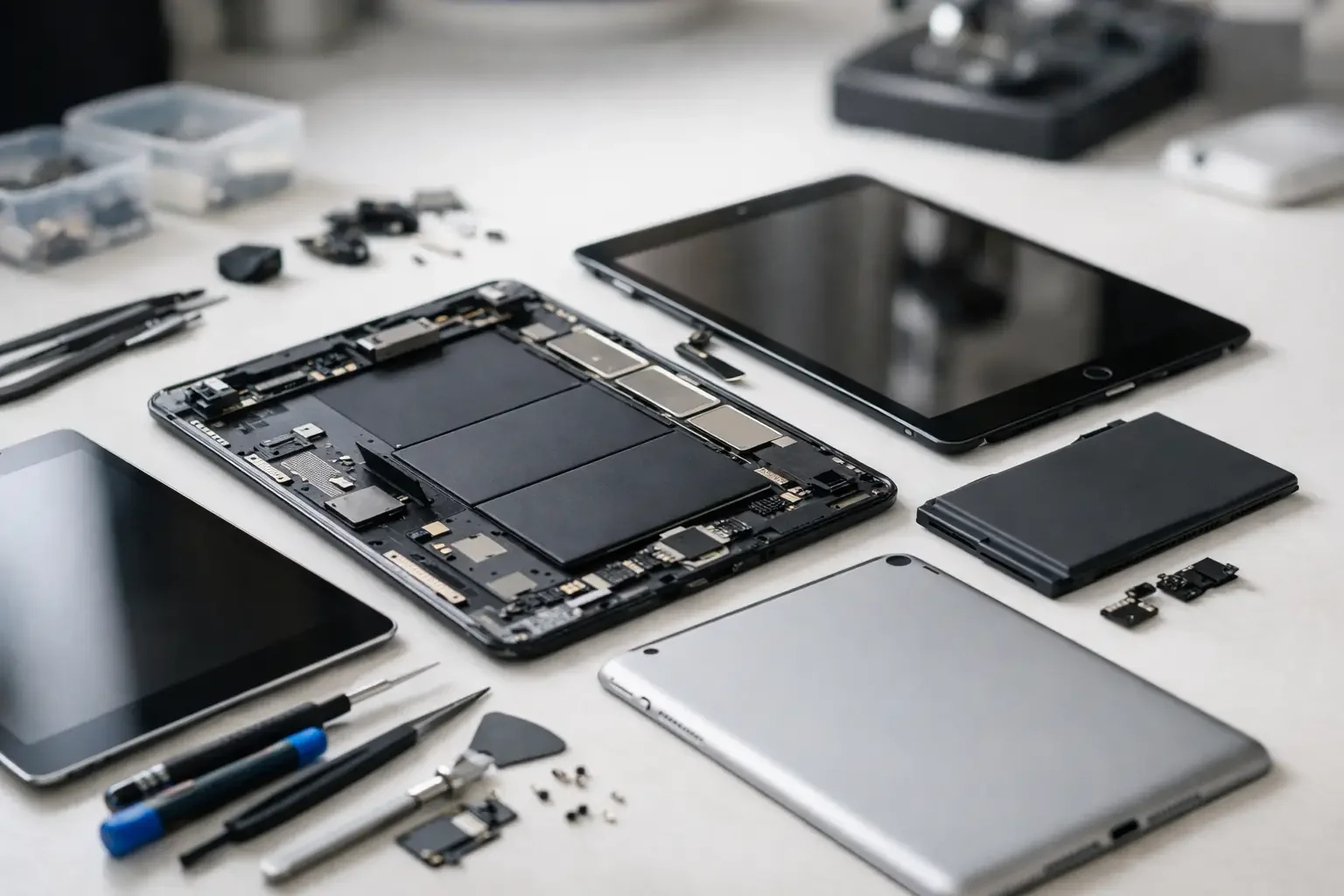
When an Apple tablet arrives in the workshop with a broken glass, dead battery, or intermittent charging, the real question isn't only which parts are needed for iPad, but rather which components should be ordered right away to close the repair without wasting time. The initial diagnosis makes all the difference: exact model, real symptom, and level of disassembly required.
For iPads, the same apparent defect can involve different parts. A touch screen that is unresponsive could be due to the digitizer glass, the display, the FPC connector, a damaged flat cable, or, in worse cases, the logic board. Therefore, those purchasing parts should think in terms of failure families and device generation, not by generic product names.
Which iPad Parts Are Needed for Common Issues
In practice, the most requested iPad parts focus on the screen, power, charging, and peripheral components. The primary area is the front assembly. On some models, the touch glass and LCD are separate, while on others, the assembly is more integrated, and the choice of replacement affects both cost and processing time.
If the glass is cracked but the image is fine, often only the digitizer is needed. However, if there are halos, lines, burned pixels, absent backlighting, or distorted images, the issue pertains to the LCD display. For models with more complex lamination, many technicians prefer to replace the entire assembly to minimize risk, time, and returns from assembly.
The second main area is the battery. An iPad that drains quickly, shuts off with remaining percentage, or shows very slow charging often requires the internal battery to be replaced. Here, not only is compatibility with the model important, but also the quality of the cell, the correct adhesive, and the condition of the charging circuit. Changing a battery without first checking the dock or any abnormal drains can lead to an incomplete repair.
Then there are the charging connectors. If the cable has play, charging is intermittent, or the PC doesn't recognize the device, the dock connector is one of the first suspects. Depending on the model, it could be on a dedicated flat or integrated into a more complex sub-assembly. In cases where the connector is soldered onto the board, the intervention requires micro-soldering equipment and not just the right replacement part.
Display, Glass, and Touch: How to Choose the Right Part
In daily work, the display section is where mistakes in ordering happen most easily. Asking which parts are needed for iPad means first distinguishing between touch glass, LCD, and complete assembly. This distinction is essential because two visually similar iPads may have very different internal structures.
On older models, the digitizer glass is often separate from the LCD panel. This allows for a more economical replacement but increases operational risk during opening and cleaning. On newer models, the assembly may be more delicate, and the complete assembly often becomes the most straightforward choice for labs looking to reduce bench time.
Also consider the presence of the home button, the sensor, or any ICs connected to the front panel. Not always does the replacement part arrive pre-assembled with all secondary elements. That’s why it’s useful to always check what the piece includes: double-sided adhesive, camera bracket, speaker grille, home button, frame, or just a bare panel.
For compatibility searches, the iPad Parts category allows you to start from the precise model, not from the generic commercial name. This is the safest method when working on Wi-Fi, Cellular, or versions with different connectors.
iPad Battery: When to Replace It and When Not
The battery is among the most frequent replacements, but it's not always the real fault. If the iPad stays stuck on the logo, doesn’t charge beyond a certain threshold, or overheats abnormally, it’s correct to test the battery, but also to rule out problems with the Tristar circuit, the PMIC, the dock connector, or secondary power lines.
From an operational standpoint, when ordering a battery, almost always complementary materials are needed. Adhesives, controlled solvents for removal, opening tools, picks, suction cups, tweezers, and bench supports are part of the repair as much as the main component. Those running a lab know: machine downtime doesn’t just depend on the absent part, but on the forgotten detail.
If the goal is to work continuously, it makes sense to keep stock of batteries for the most common models and consumables for opening. For those who also work on other Apple devices, it’s advisable to centralize procurement and technical equipment in the same inventory logic.
Dock, Flats, and Connectors: Parts That Delay Repairs
Many iPads come in with simple-to-describe faults that are more complex to resolve. Not charging, non-functioning microphone, low audio, Wi-Fi dropping, or the rear camera not working. In these cases, the replacement part is almost never “generic,” but rather a specific flat or module.
Among the most requested components are dock connectors, volume flats, power flats, antenna flats, interconnection cables, FPC connectors, front and rear camera modules, speakers, vibration modules where applicable, and microphones. These are less visible parts than the display, but often crucial for closing the ticket.
Then there’s the issue of buttons. A non-responsive power button could be due to the mechanical button, the flat, misalignment with the frame, or warping from impact. Ordering just the external button when the problem lies with the flat means extending the time. Therefore, diagnosis should be done before confirming the order.
Chassis, Frame, and Mechanical Parts
Not all faults are electronic. If the chassis is bent, the new display may not sit correctly or could break again in a short time. In these cases, frames, rear casings, brackets, internal supports, screws, and small mechanical elements are needed that are often overlooked during the estimate phase.
For a workshop, evaluating the cost-effectiveness of structural replacement is essential. On some models, straightening a deformed frame may be possible but is not always efficient. If the customer expects a stable result, the correct mechanical replacement avoids stress on the panel and closure issues.
Not Just Parts: Essential Tools and Materials
Those searching for which parts are needed for iPad often only think of the replacement piece, but many repairs stall due to a lack of proper equipment. Controlled opening of the display, removal of battery adhesives, cleaning of residues, and potential work on connectors or soldering require precise tools.
Among the truly useful items in the lab are ESD mats, precision screwdrivers, plastic pry tools, pliers, hot air stations, microscopes, preheaters, technical tapes, custom-shaped double-sided adhesives, and electronic cleaning products. They are not secondary accessories. They are part of the process and impact both the final quality and the number of collateral damages avoided.
For those managing recurring interventions, the Laboratory Accessories section is a natural extension of parts purchasing. Having components and equipment in the same ordering flow reduces steps and downtime.
How to Avoid Compatibility Errors
The most costly mistake isn’t buying an expensive part. It’s buying the wrong part twice. For iPads, it’s essential to check model number, year, diagonal size, Wi-Fi or Cellular version, and, when necessary, connector layout. Even a minimal difference can render the part unusable.
It's also advisable to check if the part is functionally compatible and not just physically compatible. A display that fits but has abnormal brightness, a home button needing transfer, a camera with a different bracket, or a flat with a different bend are significant issues, not just details.
If the lab works on multiple Apple families, it makes sense to maintain a procurement logic based on technical categories. Besides iPad Parts, often iPhone Parts, MacBook Parts, and Apple Watch Parts are also useful, especially when trying to centralize recurring purchases, consumables, and fast-moving parts from a single operational supplier like iPhoneHospital.it.
When a Replacement Part Isn’t Enough
There's one point that every repair technician knows well: not all faults are solved by replacing a module. If after changing the battery the consumption remains abnormal, if the new dock doesn’t restore charging, or if the touch continues to be unresponsive, one must move from a parts logic to board-level logic.
This doesn’t diminish the importance of the correct component. It amplifies it. An efficient repair flow always starts with the orderly exclusion of likely causes, using compatible parts, proper tools, and a realistic understanding of the defect. This is how one avoids immobilizing the bench for an apparently simple iPad and keeps work flowing even during high volume periods.
In the end, the right choice isn’t just knowing which parts exist. It’s knowing which ones are truly needed for that model, for that symptom, and for the level of intervention you want to guarantee to the customer.