


Apple Watch Battery Replacement: When to Do It
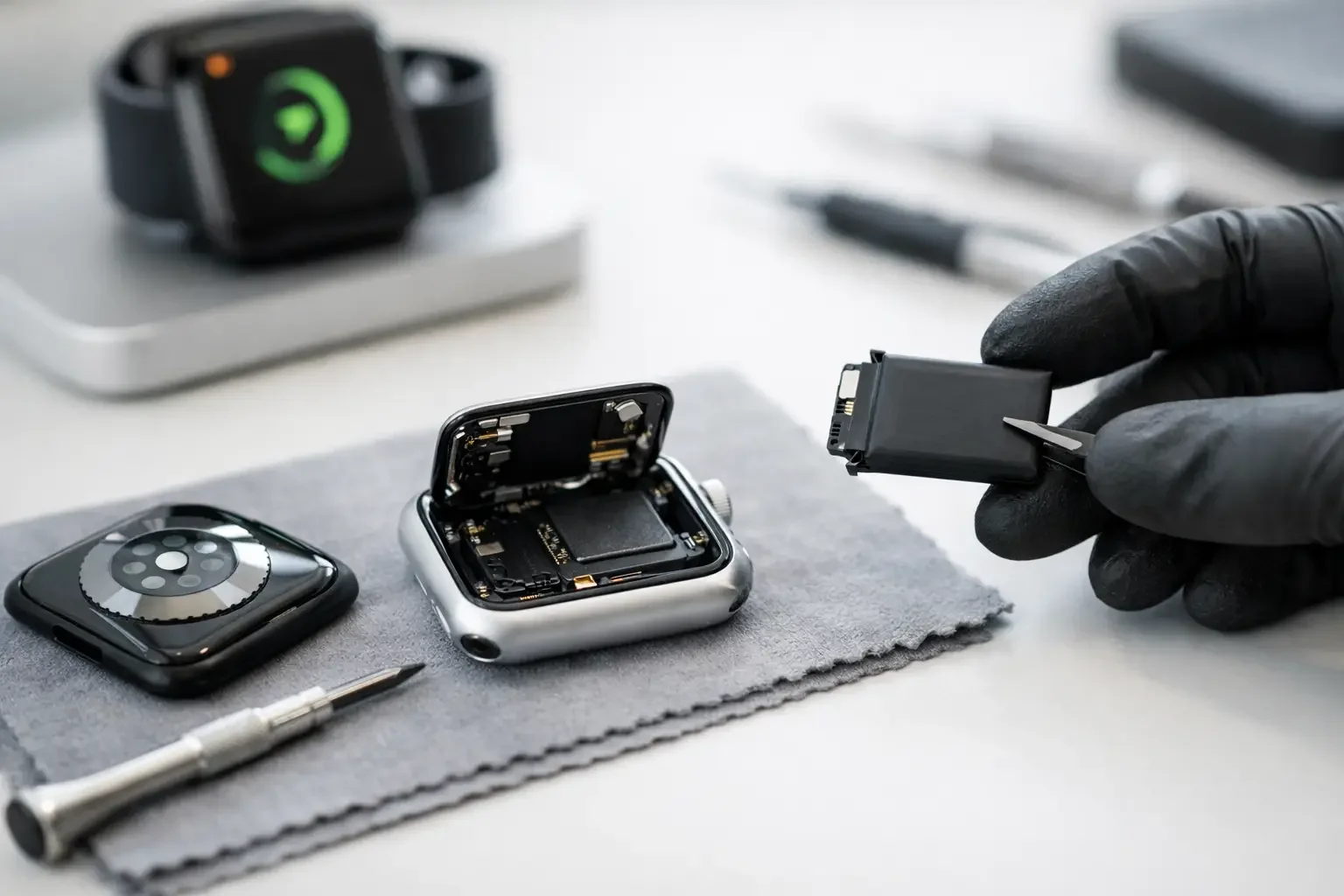
If an Apple Watch ends the day with unusual battery drain, shuts off under load, or shows a swollen display, it's no longer just about battery life: an Apple Watch battery replacement becomes a technical consideration. In fact, the battery on this device is one of the components that often presents ambiguous symptoms, and a superficial diagnosis can waste time or worsen the damage.
Apple Watch Battery Replacement: When It's Truly Needed
Not all battery life drops indicate a worn-out battery. Factors like watchOS, background processes, sensor status, display brightness, GPS usage, and the overall health of the board significantly affect Apple Watch performance. Thus, before proceeding, it's essential to differentiate between physiological degradation and actual failure.
Typical signs include a drastically reduced battery life compared to historical usage, sudden shutdowns with apparent battery percentage remaining, irregular charging, and unusual overheating. The most critical case is cell swelling, often visible as lifted displays or loss of adhesion around the perimeter. If this occurs, replacement should not be delayed, as internal pressure can compromise the screen, touch functionality, and device integrity.
For a repair shop, the key point is to avoid the automatic assumption of "it’s draining, so it’s the battery." On some models, behavior can also depend on damaged flex cables, issues with inductive charging, or unusual board power draws. Replacement is justified when symptoms are consistent and preliminary checks confirm the battery pack is the most likely culprit.
Correct Diagnosis Before Replacement
Diagnosis on Apple Watch is more delicate compared to iPhone because internal spaces are limited, and the opening process itself can introduce risks. Therefore, it’s wise to gather as many clues as possible before intervening.
The first check is behavioral: actual duration, charging times, restarts, response under stress, and percentage stability. If the charge drops erratically or the device goes from an average value to shutdown within minutes, the battery is a strong candidate. However, if battery life only declines in specific scenarios, it’s worthwhile to consider firmware, apps, and always-active sensors as well.
The second check is physical. A slightly lifted display, uneven closure, or altered glass adhesion often indicate internal expansion. In these cases, we’re not just discussing performance but the safety and integrity of the device.
The third aspect concerns the exact compatibility of the replacement. Series, case dimensions, and revisions matter. A 40mm Apple Watch Series 4 does not necessarily share the same component as a 44mm model, and the same principle applies to many subsequent generations. Choosing incorrectly here costs double: downtime and another reopening.
The Technical Challenges of the Intervention
Battery replacement on Apple Watch is not a trivial operation. The display is strongly glued, maneuvering space is minimal, and the risk of damaging OLED, touch, or seals is substantial. On models with swollen batteries, the situation worsens, as the lifting of the display already alters the internal geometry, making every step more delicate.
Another often-overlooked aspect is managing the adhesives. Properly opening the device is just half the job: closing it with the right material is crucial to maintaining mechanical stability and reducing infiltration. Professionals know that the right replacement without proper adhesive treatment results in incomplete outcomes.
Even the equipment makes a difference. Excessively aggressive opening tools, uncontrolled heat, or unsuitable pliers increase the risk of breaking the panel. In a lab context, having the necessary consumables and specific tools on hand prevents hasty repairs. Therefore, beyond model-specific replacements, it’s beneficial to rely on a technical section dedicated to bench accessories and work materials.
How to Choose the Right Replacement
When dealing with an Apple Watch battery replacement, selecting the component must be done by exact model rather than vague general compatibility. Series, case size, year, and occasionally the component's technical code are key references. A too-broad approach easily leads to purchasing errors.
For professionals, it’s advisable to work with a segmented catalog, where replacement parts are organized by Apple Watch family and clear subcategories. This reduces search time and limits the risk of confusing similar but non-equivalent models. In a well-organized supply structure, the Apple Watch Replacement category is the natural starting point, especially when handling recurring repairs across multiple series.
The quality of the replacement matters as much as compatibility. A correct battery but with unstable performance can lead to service returns, unnecessary recalibrations, and new openings. For a lab, the real cost is not just the price of the part but the technical time absorbed by the overall intervention.
Is It Worth Replacing the Battery or Switching Devices?
This depends on the model, overall condition, and residual value of the product. On a currently relevant Apple Watch with an intact display and healthy board, a battery replacement is often the most logical intervention. The customer regains battery life and extends the device's lifecycle at a lower cost than a full replacement.
For very outdated models, however, the evaluation changes. If, in addition to the battery, there are display issues, a problematic crown, irregular sensors, or previous liquid damage, the intervention may become less advantageous. In the lab, it’s crucial to reason in terms of accumulated cost and the likelihood of further failures, not just the initial defect.
Then there’s the case of swelling that has already damaged the display. In this scenario, replacing just the battery may not suffice. If the panel is compromised or the flex has suffered stress, it’s best to structure the estimate considering a broader scenario. Being clear beforehand avoids disputes later.
Frequent Mistakes to Avoid
The first mistake is ordering without accurately checking the model. In the Apple Watch world, the differences between generations are close together and easily confused at a glance. The second is underestimating the condition of the display when the battery is swollen. If the glass is already under tension, the opening process must be handled with even greater caution.
The third mistake is treating the intervention as a simple energy replacement. In reality, it involves adhesives, sealing, touch integrity, and the quality of the closure. The fourth mistake is working without adequate materials. In a structured lab, parts and equipment should be part of the same purchasing process, not separate items decided at the last moment.
For those handling repairs on multiple Apple devices, having a supplier with extensive categories also aids in planning. It’s not uncommon for an Apple Watch to come in alongside iPhones, iPads, or AirPods. In these cases, a catalog organized by product families allows for focused procurement and reduced operational downtime.
Apple Watch Battery Replacement and Work Management in the Lab
From an operational standpoint, this intervention requires clear standards. Precise model identification, visual checks, symptom control, selection of the replacement part, opening and closing materials, final charging tests, and stability checks. The more standardized the flow, the less margin there is for errors and returns.
For repair shops and technical centers, speed must not sacrifice accuracy. A poorly closed Apple Watch or one with a not perfectly compatible battery can return to the lab shortly, costing more than the initial gain. True efficiency comes from a simple supply chain: quickly finding the correct component, processing it with suitable equipment, and completing the job without avoidable compromises.
In this sense, a well-segmented technical catalog like that of iPhoneHospital.it is particularly useful for those purchasing professionally rather than casually. The difference lies not only in the availability of the part but also in the ability to quickly navigate among families of replacement parts and tools related to the intervention.
When an Apple Watch's battery begins to show clear signs, delaying rarely helps. A well-conducted technical evaluation at the outset allows one to determine whether a targeted replacement is sufficient or if it’s best to stop beforehand, avoiding hours of wasted time on the wrong component.