


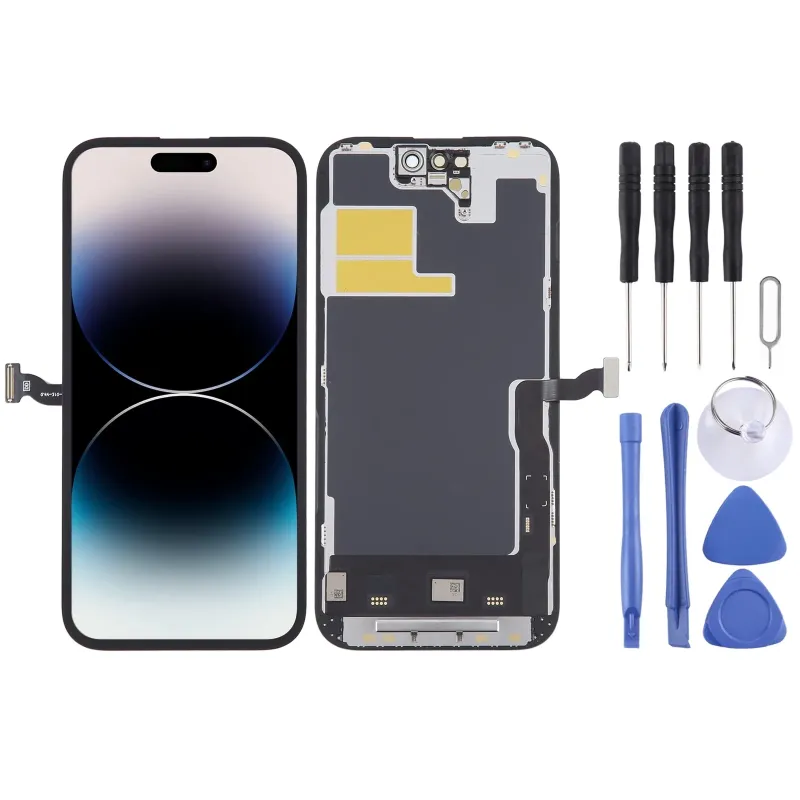



It will be necessary to proceed with the migration of the original IC chip from the old display and solder it to the flat cable included in the replacement in order to eliminate the pop-up error message.
 Security policies
 Shipping policies
 Return policies
Before installation notes
Tip 1: test before installation
During testing, do not remove any protective film or labels. Please pay attention to the issue of static electricity.
Before attempting any repairs, make sure to ground yourself with an ESD strap (electrostatic discharge). This will prevent static electricity from damaging the electronic components inside the phone.
Make sure to wear eye protection and be careful not to cut your fingers on glass shards.
Tip 2: simulate the test
Screen replacement is a very delicate product. We highly recommend testing before installation. Please simulate the test, which means the cell phone is separated, the audio cable connected (motherboard + LCD or screen) and the new replacement, power on, test completed. If the test is OK, proceed with installation. If it doesn't display, contact us immediately. And please do not force the installation on the cell phone. We will not be responsible once the screen is installed.
Tip 3: do not excessively bend the cable
Make sure the LCD cable is not excessively bent. Bending over 90 degrees will cause a black display.
Product Information
1. LCD display + touch screen digitizer replacement part.
2. Replace the old, broken, damaged screen.
3. Make your device fresher than ever.
4. Fully fit and functional.
5. Each item has been checked and is in good condition before shipping.
6. Professional installation is highly recommended. We will not be responsible once the screen is installed.
7. The touch IC soldering on the new screen can be disassembled from the original screen, which requires professional maintenance.
Data sheet
Specific References
No customer reviews for the moment.
