


Antistatic Tweezers for Electronic Repair
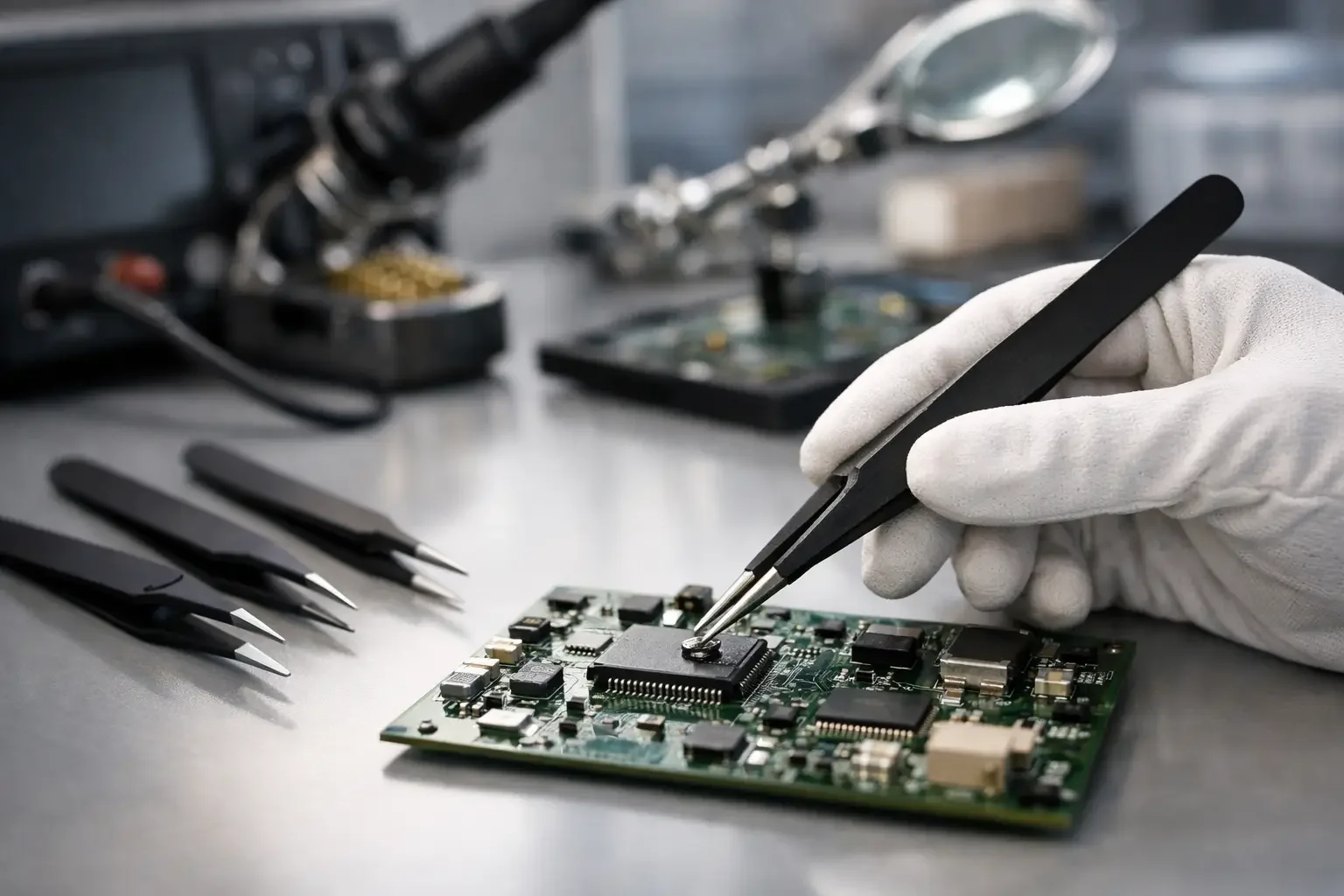
When working on flats, FPC connectors, micro screws, and SMD components, using antistatic tweezers for electronic repair is not a trivial detail. It's a choice that impacts precision, ESD safety, and the speed of intervention. With smartphones, iPads, MacBooks, and compact logic boards, the right tweezers reduce mechanical errors, prevent contamination, and allow for handling very small parts without stressing the component.
Why Antistatic Tweezers are Essential in the Lab
In daily repair work, tweezers are one of the most frequently used and often underestimated tools. They are handled dozens of times during a display opening, battery replacement, the placement of pre-cut adhesives, or the removal of shielding and gaskets. If they are not antistatic, the risk is not just theoretical: an electrostatic discharge can compromise sensitive circuits, especially on high-density boards.
The real advantage of ESD tweezers is not just protection from electrostatic spikes. The stability of the grip, the quality of closure, the alignment of the tips, and the ability to work close to delicate components without scratching or deforming them also matter. In a lab handling multiple models daily, these details make a significant difference in repair times and the rate of rework.
What to Look for When Buying Antistatic Tweezers for Electronic Repair
The first variable is the material. The most common versions are made of stainless steel with an ESD coating or from composite materials specific to antistatic environments. Steel offers rigidity and control, so it’s often preferred for microcomponents, adhesive pads, screws, and flats. Plastic or fiber materials are useful when a gentler grip is needed or when minimizing the risk of marking surfaces and coatings.
Next up is the tip. A tip that is too thick slows down work on connectors and miniaturized components. A tip that is too thin, if of average quality, can bend or lose alignment. For this reason, there isn’t a universal tweezer that works for all tasks. Instead, there is a correct selection based on the type of work being done.
Closing tension should also be considered. If the tweezers are too stiff, they can tire the hand after many interventions. If they are too soft, control over the piece is lacking. In repetitive tasks, such as handling screws, ear mesh, brackets, or small double-sided adhesives, a well-calibrated elastic response helps more than it seems.
Types of Tips and Practical Use
Fine Straight Tip
This is the most versatile configuration. It is suitable for grabbing screws, insulators, double-sided adhesives, small metal brackets, and already-raised connectors. In the lab, it is often the first choice for general repairs on iPhones, iPads, and compact devices. If the tips are well-aligned, it allows for precise gripping of small SMDs during placement.
Curved Tip
The curved tip is very useful when working in deep areas or at angled views. For example, during the removal of adhesive fragments, managing flats under a battery, or placing elements near the internal edges of the frame. It reduces the hand's bulk compared to the field of vision and allows for a more comfortable posture under a microscope.
Ultrafine Tip
This is for high-precision work but isn't always the best for general use. It is suitable for microcomponents, jumpers, selective cleaning, handling filters, or very small details on boards. However, it requires a stable hand and a quality tool because a tip that is too fine but lacking rigidity loses usefulness quickly.
Flat or Rounded Tip
This type makes sense when the risk of marking the piece is high. It can be useful for membranes, adhesives, protective films, gaskets, or soft elements. It’s not the tweezers to choose for every task, but at certain stages, it prevents aesthetic damage or unnecessary deformations.
Where They Make a Difference on Apple and Mobile Repairs
On iPhones and iPads, antistatic tweezers are central in all phases where it’s necessary to lift, hold, or position small elements. We’re talking about brackets with varied screws, battery connectors, sensors, dust screens, display adhesives, and gaskets. An imprecise tip can cause a screw to pop out, bend a contact, or tear a flat cable that is already under stress.
On MacBooks and iMacs, the context changes, but the principle remains the same. Here, tweezers often work on connectors, adhesive strips, antenna cables, clips, and components distributed over broader but still delicate spaces. In these cases, it's helpful to have at least one fine straight tip for general use and a curved one for less accessible areas.
Even in micro soldering, ESD tweezers are a constant support tool. They do not replace dedicated tools but assist in placement, controlled removal, and managing small details under magnification. If the tips don’t close well or slip, precision is lost exactly where it is needed most.
Common Mistakes in Choosing Tweezers
The most common mistake is buying solely based on price. In an operational lab, an inexpensive but misaligned tweezer costs more time than it saves. If the grip is uncertain, the technician compensates with more force, more attempts, and a greater risk of damage to the component.
Another mistake is choosing a single shape for everything. The reality at the workbench is different: a perfect tip for a bracket screw may not be ideal for a thin adhesive or for a connector close to fragile components. It’s better to build an essential yet coherent set rather than relying on a single universal model.
Then there's the matter of maintenance. Even a good tweezer loses effectiveness if the tips are bumped, used improperly, or left in contact with chemical residues. In the presence of glues, flux, or metallic dust, regular cleaning maintains the quality of the grip.
How to Determine if a Tweezer is Suitable for Your Workflow
If you mainly handle smartphones and tablets, it’s wise to focus on lightweight, well-balanced models with fine tips. If board repair is also part of your work, the precision of closure becomes even more important, making it sensible to combine an ultrafine tip with a standard straight one.
If your lab performs many openings, battery replacements, internal cleanings, and recurring assemblies, long-term comfort weighs almost as much as precision. A tweezer that is too stiff may be fine for occasional use but less so for a technician using it for hours each day.
The work environment also matters. In an equipped ESD workspace, an antistatic mat and wrist strap make sense alongside ESD tweezers. The tool alone helps, but it performs best when part of a properly constructed station.
A Truly Useful Minimum Set
For most labs, there’s no need to start with ten different models. A rational setup includes a fine straight tweezer for general use, a curved one for difficult accesses, and a more delicate or specialized tip for small components or sensitive surfaces. This setup already covers most consumer electronics work.
Those who continuously work on Apple devices, logic boards, and refurbishing can then expand their set based on actual operations rather than accumulation. The right logic is this: each tweezer should solve a specific task, not just take up space in the drawer.
Construction Quality and Immediate Signals to Check
As soon as you pick them up, valid tweezers can be recognized by a few simple elements. The tips should meet without visible light between the edges, the closure should be progressive, and the body shouldn’t twist under normal pressure. If a coating is present, it should be uniform and free of burrs.
It’s also worth checking how they perform on actual pieces. A micro screw, a small protective adhesive, a mesh, or a test flat is sufficient to determine if the grip is stable or not. This practical check says more than many technical datasheets.
For those who regularly purchase lab equipment, trusting a specialized supplier like iPhoneHospital.it also helps in selecting the correct format, especially when the bench handles diverse repairs and requires operational continuity among tools, spare parts, and consumables.
When to Replace Them
A tweezer should be replaced when it loses alignment, when the tips show wear that compromises the grip, or when the ESD coating is clearly degraded. Continuing to use them out of habit is a false economy. If precision diminishes, the margin for error increases on components that cost much more than the tool.
In technical work, the difference is not only made by stations, microscopes, or power supplies. Often, it's made by the tools that truly come into contact with the component. Well-chosen antistatic tweezers not only improve workbench comfort. They make the work cleaner, more repeatable, and safer, which is what matters when every intervention must be completed without wasting time.