


Best Products for Cleaning Circuit Boards
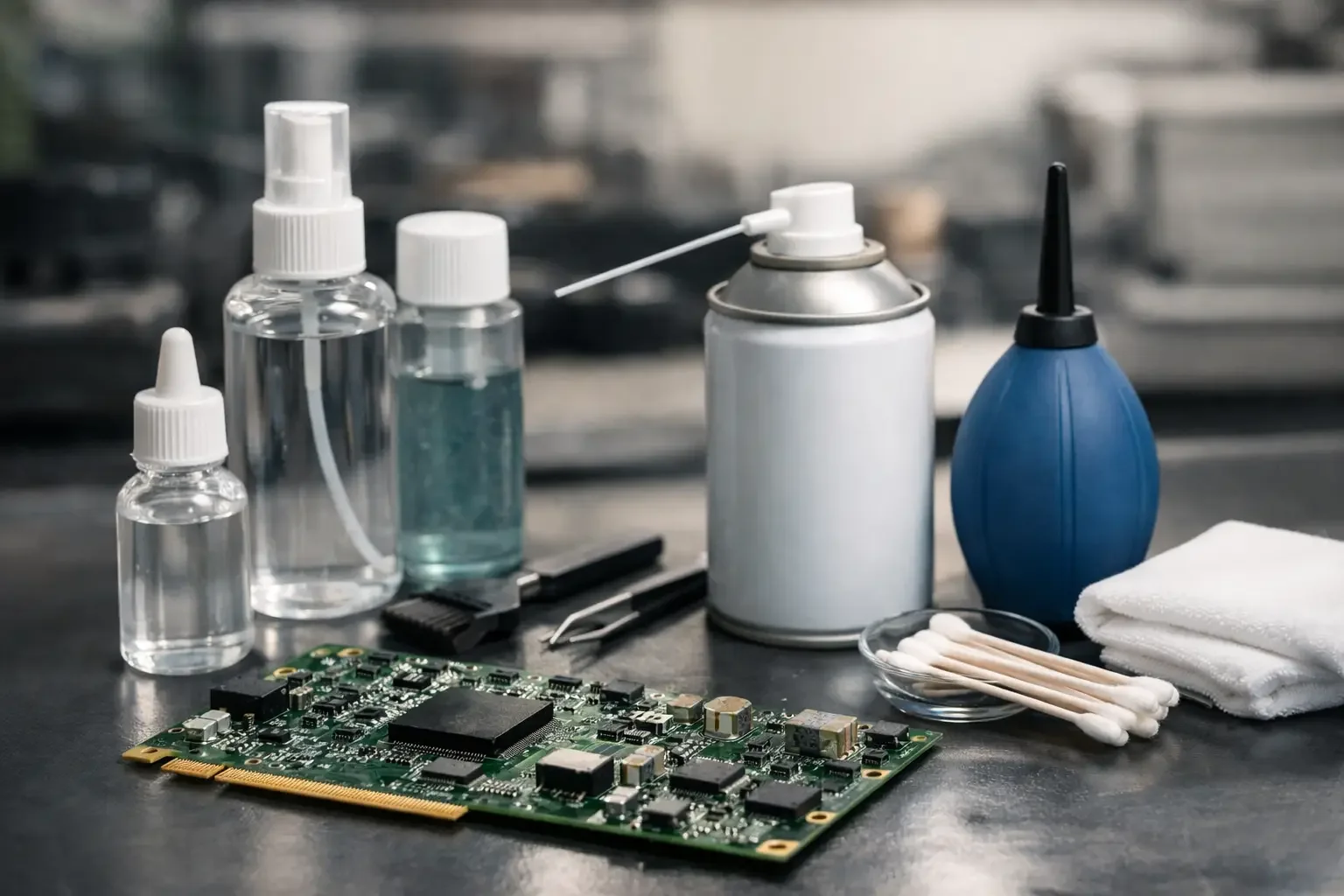
A connector that won't charge, an iPhone with abnormal drains after contact with liquids, a MacBook board with flux residues: cleaning is not just an aesthetic detail. Choosing the best products for cleaning circuit boards helps avoid false contacts, progressive corrosion, and diagnoses altered by contaminants left on the circuit. The right product depends on the residue, the area to treat, and the stage of repair.
An effective solvent used in the wrong place can cloud plastics, push dirt under components, or leave moisture where it shouldn't be. For this reason, an organized workstation must include distinct products for routine cleaning, flux removal, oxidation treatment, and controlled washing after liquid damage.
Best Products for Cleaning Circuit Boards: What to Evaluate
The first characteristic to check is the residue. On a circuit board, especially in connector areas, under shields, or around SMD components, it's preferable to use a product that evaporates without leaving conductive or oily films. The second factor is compatibility with different materials: the board contains not only copper and tin but also seals, adhesives, connectors, plastics, coatings, and optical modules.
The method of application also matters. The same liquid can be applied with a dispenser, antistatic brush, lint-free swab, or ultrasonic cleaning bath. An aerosol jet is useful for restricted areas and connectors but can push contaminants under BGAs, flat cables, and shields. For a board exposed to liquid, the job instead requires a preliminary inspection and a more extensive procedure.
High-Purity Isopropyl Alcohol
Isopropyl alcohol, ideally with a high purity of 99% or 99.9%, is the standard for routine cleaning of many logic boards. It removes fingerprints, light grease, non-persistent residues, and some dirt on connectors and contacts. It evaporates quickly and, if of suitable quality for electronics, leaves no significant residues.
It is suitable for localized cleaning before inspection under the microscope, to eliminate surface traces after a micro-soldering, and to carefully treat connectors. It should be applied in controlled amounts, using a soft ESD brush or non-woven cloth. Excess liquid does not improve the result; it only increases the risk of the liquid reaching uninspectable areas.
However, IPA does not solve every case. On baked flux, advanced oxidation, or sugary residues from dried liquid, it may be insufficient. It should not be considered a guarantee of recovery for devices that have suffered liquid damage: corrosion may already be present underneath chips, shields, or passive components.
Flux Remover for Solder Residues
After replacing an FPC connector, an IC, or passive components, flux residues can make inspecting the solder joints difficult. A specific flux remover is formulated to dissolve flux better than simple isopropyl alcohol and allows for checking solder bridges, lifted pads, and component alignment.
The choice should be based on the flux used and the sensitivity of the area. Some solvents are very fast and effective but more aggressive on plastics, silkscreens, adhesives, or coatings. Before intervening near cameras, microphones, speakers, seals, and Face ID modules, it is advisable to disassemble the component when possible or test the product on a non-critical area.
After application, the dissolved residue should be removed with a clean brush and swab. Allowing the solvent to evaporate without removing the dirt is not a complete cleaning: it simply risks redistributing the flux on the board's surface.
Residue-Free Contact Cleaners
Electric contact cleaners are useful for connectors, sockets, pins, charging ports, and battery contacts, as long as they are declared suitable for electronics and free of lubricating residuals. They are practical when needing to remove fine dust and light contamination in tight spots where a brush can't reach easily.
Not all contact sprays are equivalent. Products with lubricating, protective, or oily effects may be suitable for mechanical parts, but are generally a poor choice for logic boards and low-profile connectors. They can trap dust, interfere with adhesives, and complicate subsequent interventions. For Lightning, USB-C ports, or display and battery connectors, a fast-evaporating cleaner without residual film is preferred.
Cleaning Oxidation and Liquid Damage
When a board has come into contact with water, beverages, sweat, or condensation, the issue is not just visible humidity. Salts, sugars, and minerals remain on the surface and continue to encourage corrosion and electrical leakage. Turning off the device and immediately disconnecting the battery is the first step. Connecting it to power to check if it restarts can worsen the damage.
For localized and recent contamination, one can proceed with a microscope inspection, targeted washing with the appropriate product, and complete drying. If there is widespread oxidation, white-green deposits, sticky areas, or corrosion near power circuits, the procedure requires greater depth. In these cases, professional washing, ultrasonic cleaning with compatible solutions, and subsequent controlled rinsing may be necessary.
Demineralized or deionized water may be included in some cleaning processes, but should not be used as a universal alternative to solvents. Drying must be complete, including moisture trapped under shields, connectors, and components. Uncontrolled hot air, household hair dryers, and excessive temperatures can warp plastics, damage adhesives, and compromise sensitive components.
Ultrasonic Bath: Useful but Not Automatic
The ultrasonic bath is an effective tool for boards with widespread contamination, provided that all components incompatible with the process are removed. Batteries, displays, cameras, speakers, microphones, haptic motors, and membrane modules should not be treated like a bare board.
Even on the logic board, one must evaluate the model and type of damage. An incorrect cycle for temperature, duration, or solution can cause problems rather than resolve them. Ultrasonic cleaning does not replace diagnosis: after washing, corroded lines, damaged pads, compromised connectors, and components to be replaced must still be checked.
Tools That Improve Cleaning
The right liquid does little if applied with unsuitable tools. For repeatable work, soft-bristle ESD brushes, lint-free swabs, non-woven cloths, pump dispenser bottles, and dedicated clean containers are needed. The brush must lift the residue without scratching traces, silkscreens, or components; the swab must pick it up without leaving fibers on the pins.
The microscope is equally important for distinguishing dirt, flux, and actual corrosion. An area seemingly clean to the naked eye may have oxidation on a connector pad or deposits between an IC's pins. For Apple repairs, where connectors and components are often very close together, inspection after each stage prevents reassembling a board with an existing defect.
For benchtop equipment, consumables, and tools dedicated to electronic maintenance, iPhoneHospital.it focuses on solutions designed for the daily work of repair labs and technicians.
Practical Procedure to Avoid Contaminating the Board Again
Before cleaning, disconnect any power source and remove the battery when the device's architecture allows. Taking a photograph of the board or marking suspicious areas helps compare the state before and after the intervention. If the failure concerns a port or connector, check for bent pins, corrosion, debris, and mechanical wear: not everything can be solved with a solvent.
Apply the product in small amounts, work in sections, and always use a clean side of the swab or a washed brush between areas. Moving from dirty to clean areas transfers contaminants and makes inspection less reliable. After treatment, wait for complete evaporation and inspect under a microscope before powering the board.
The choice of products should not follow the rule of being as aggressive as possible but rather the principle of minimal effective intervention. A good cleaner, applied with suitable tools and followed by thorough checking, reduces diagnosis time and preserves the value of the repair.