


Electronic Workbench Accessories: What You Really Need
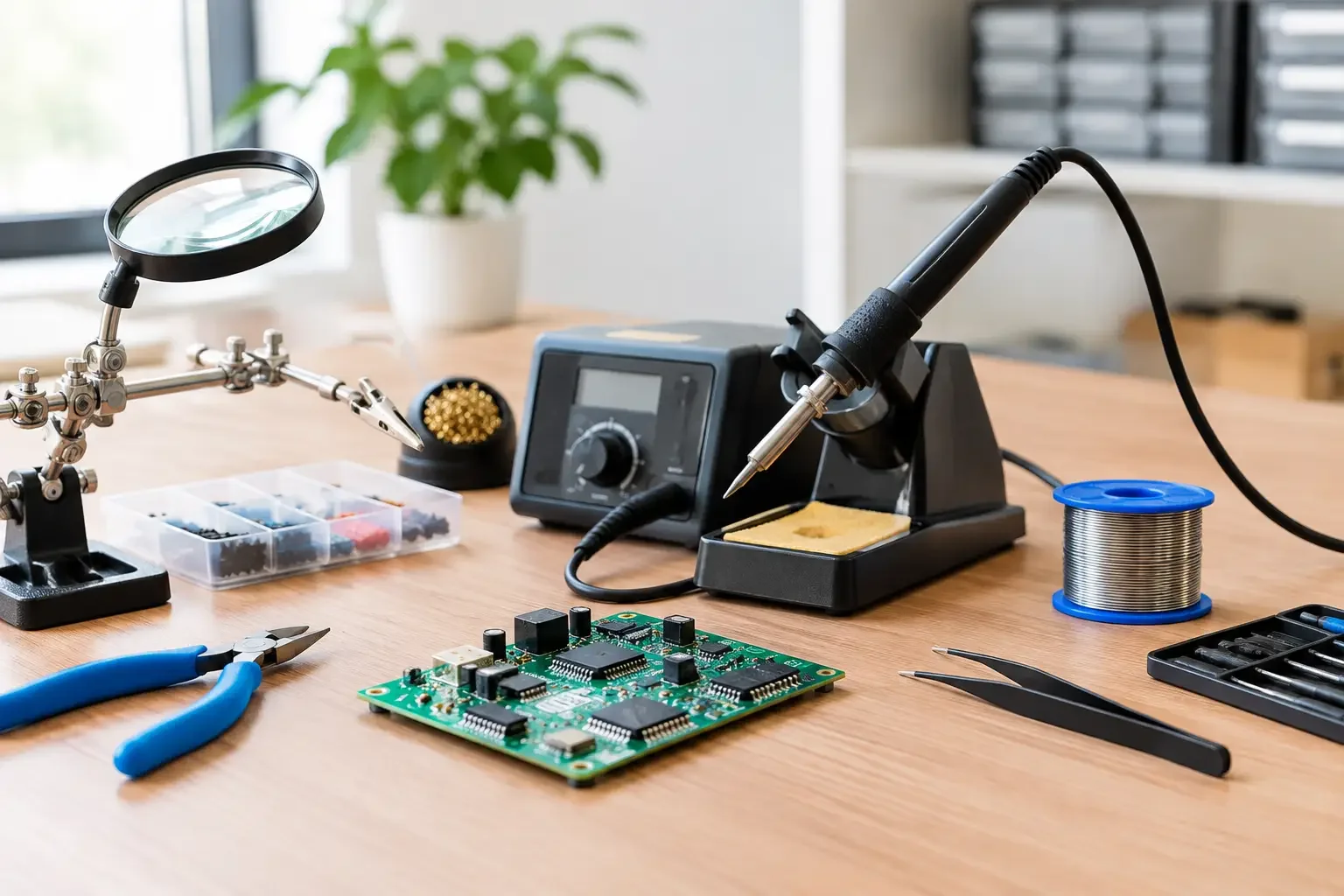
A cluttered workbench slows repairs, increases the risk of accidental damage, and makes it harder to identify faults. Electronic workbench accessories are not a secondary purchase: they define how a device is disassembled, measured, soldered, and reassembled. For a lab handling iPhones, iPads, MacBooks, Samsung devices, or small electronic boards, the choice must start from the actual tasks, not from a generic list of tools.
A technician replacing displays and batteries daily has different needs than someone working on FPC connectors, power lines, charging ICs, or damaged traces. The right setup should reduce unnecessary steps, protect components and devices, and be ready between tasks.
Electronic Workbench Accessories: The Operational Base
The first objective is to establish a stable, clean, and repeatable workstation. This means having a surface that protects both the workbench and the electronics, with dedicated areas for disassembly, diagnostics, and soldering. A heat-resistant silicone mat is useful for containing screws, brackets, and small components but does not replace the proper organization of removed parts.
For repairs on mobile devices, mats with magnetic sections or compartments are especially practical. They help keep screws organized according to the disassembly sequence, avoiding the common mistake of reinstalling an overly long screw near the display, battery, or logic board. The choice depends on the type of work: a large mat is better for complete repairs, while a compact one is more suitable for dedicated tasks.
Lighting also deserves attention. A cool, uniform front light reduces shadows and reflections on flats, connectors, and pads. For finer inspections, especially on iPhone and MacBook boards, it's wise to pair it with a magnification station equipped with a microscope. The microscope isn’t essential for changing a battery, but it becomes crucial for checking lifted pads, corrosion, solder bridges, and alignment of SMD components.
Hand Tools Always within Reach
Precision screwdrivers, tweezers, and opening tools should have a fixed position on the bench. It's not just about order; using the wrong tool can ruin a pentalobe screw, deform a shield, or puncture a lithium polymer battery.
Screwdrivers should be selected based on profile and tip quality. Phillips, tri-point, pentalobe, and Torx cover many of the tasks on Apple and Android products, but the size must be precise. A worn tip increases the risk of stripping the screw and turns a simple task into a longer repair.
Tweezers, on the other hand, are chosen based on the component. A fine tip helps manage screws and small connectors; a curved tip offers better visibility during microsoldering; non-magnetic and anti-static versions are preferable near sensitive components. Opening tools, such as picks, levers, and suction cups, must be used gradually: excessive force is one of the most common causes of damage to frames, OLED displays, and internal flats.
Diagnostics and Power Supply: Time-Saving Accessories
An effective electronic workbench is not just for disassembly. It should quickly allow you to determine if the problem relates to the battery, charging port, display, power supply, or logic board. For this reason, a digital multimeter and a lab power supply are two central elements of the workstation.
The multimeter allows checking voltage, continuity, resistance, and diode status. It is useful for a preliminary check of fuses, connectors, power lines, and cables. However, accurate measurement requires suitable probes and proper insulation: probes that are too thick can touch two close points and create an accidental short circuit. For precision work, needle probes and fine tips improve control.
The stabilized power supply allows powering a device or board by setting voltage and current limits. When analyzing an iPhone or MacBook board’s consumption, observing the current draw can indicate a short, a circuit stuck during startup, or a problem in the charging line. However, it should not be considered an automatic diagnostic tool: the current value must be interpreted in relation to the model, the condition of the board, and the power-up phase.
The most useful accessories in this area are compatible power supply cables, adapters, clips, insulated probes, and board holders. Compatibility is crucial. Connecting a board with incorrect polarity or unsuitable voltage can cause further damage, especially on devices already compromised by liquid or short circuits.
Soldering and Microsoldering Without Improvisation
When the lab performs interventions on connectors, flats, pads, ICs, and SMD components, the workbench setup must include much more than just a soldering iron. Thermal management, consumables, and tools to check the work before and after the intervention are necessary.
A soldering station with tips of different geometries allows adapting to connectors, wires, and components of various sizes. The hot air station is suitable for removing and repositioning SMD parts but requires reliable supports to secure the board and protect surrounding areas. Without proper fastening, a poorly directed air jet can shift nearby capacitors or resistors.
Flux, solder, desoldering braid, and low-melting-point solder alloys must be chosen based on the operation. Flux improves wettability and makes soldering more visible, but residues must be managed according to the product used. The braid is effective for cleaning pads and removing excess solder, provided it is not left too long on the pad.
For reballing and replacing BGA chips, stencils and dedicated supports allow for greater precision. This operation requires practice, temperature control, and good optical inspection. Buying the equipment is not enough: on high-density boards, a heat or alignment error can permanently damage traces and substrate.
How to Choose Accessories Based on the Services Offered
The best selection is not necessarily the widest. It should align with the lab's workflow. A center focused on display, batteries, and connectors will have different priorities than one offering advanced board repairs.
For routine maintenance, the essential equipment includes mats, screwdrivers, tweezers, opening tools, cleaning systems, and containers for screws. If the lab also handles electrical diagnostics, a multimeter, power supply, and connection accessories are necessary. For microsoldering, a microscope, hot air station, soldering iron, flux, PCB supports, and rework materials come into play.
It’s wise to consider ergonomics and replaceability as well. An economical tweezer may suffice for simple tasks, while a quality and easily replaceable soldering tip directly influences work continuity. The same goes for fume extractors, filters, and cleaning systems: they are not decorative accessories but essential elements that make the workstation usable for many hours.
Common Errors in Preparing the Workbench
The first error is concentrating everything in the same space. Disassembly, soldering, and cleaning have different residues and risks. Visually separating areas limits contamination from solder, flux, and dust.
The second is working without ESD protection when handling boards and sensitive components. An anti-static mat and wrist strap are particularly recommended for activities on circuits, memory, and electronic modules. They do not eliminate every risk but reduce electrostatic discharges that can cause hard-to-diagnose defects.
The third error is buying tools without verifying their compatibility with the repairs performed. A universal accessory can be helpful, but adapters, supports, and specific tips often make the difference between a controlled operation and a slow repair. Cataloging tools by function and periodically checking their wear avoids operational downtime during the most urgent interventions.
A well-equipped workbench should not appear full: it must allow the technician to immediately find what they need, use the correct tool, and check the result without unnecessary movements. Starting from the most common repairs and adding accessories gradually is the most practical criterion for building a reliable workstation.