


Repairing Water-Damaged iPhone and Oxidation
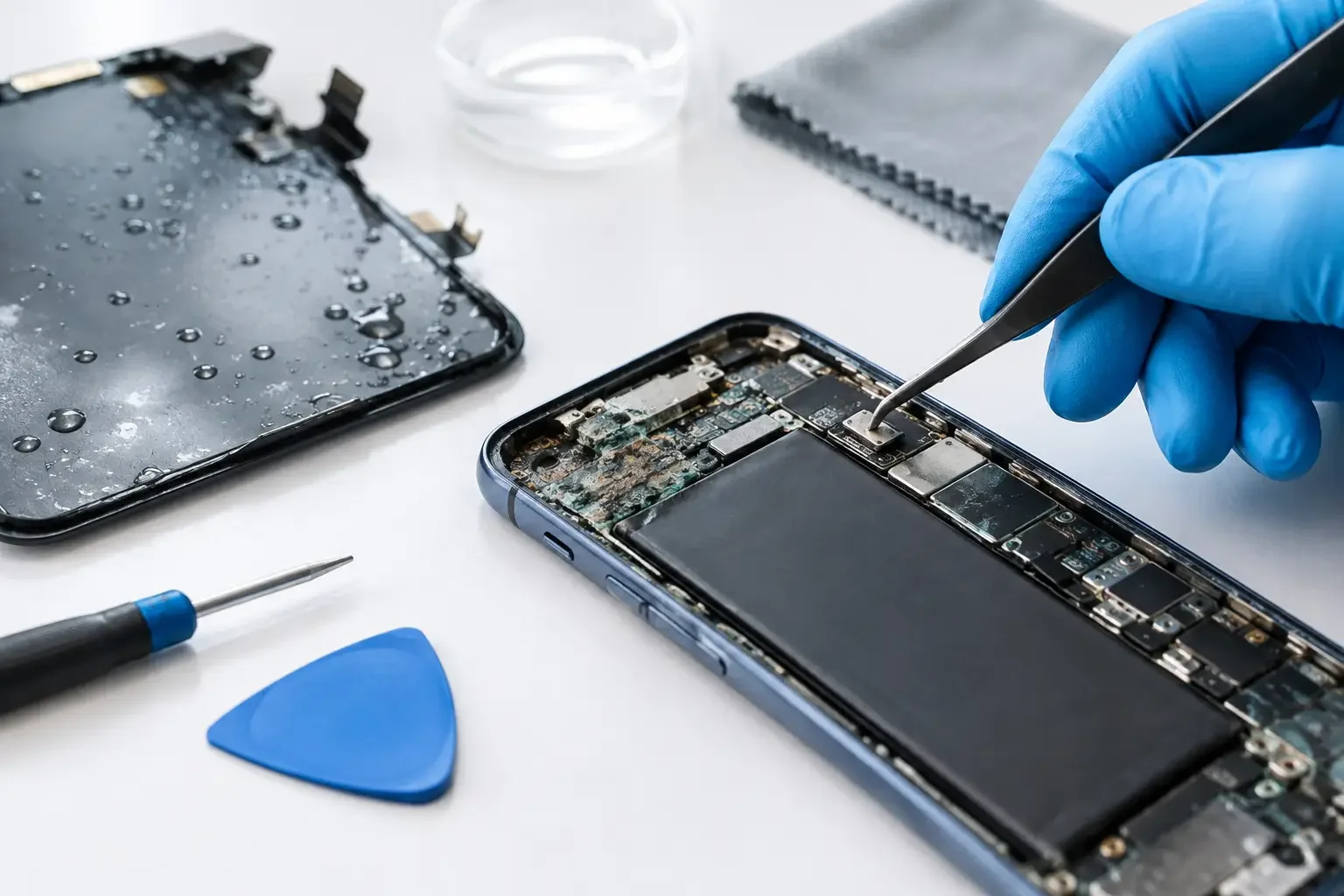
A water-damaged iPhone may seem functional for a few hours but could stop powering on the next day. This is typical behavior of oxidation: liquid infiltrates, remains in hard-to-see areas, and triggers progressive corrosion on connectors, flex cables, and the logic board. An effective water-damaged iPhone repair involves first identifying the true extent of the damage, not just replacing the non-functional component immediately.
For a repair shop, the priority is to reduce the time between liquid contact and diagnosis. For experienced users, the rule is even simpler: turn off the device, do not recharge it, and avoid repeated power attempts. Any power applied to a board with conductive residues can transform localized damage into a broader failure.
What Happens to a Water-Damaged iPhone
Oxidation isn't solely caused by water. Sugary drinks, salt water, humidity, sweat, and detergents have different compositions and leave various residues. Salt water is among the most critical conditions since it accelerates corrosion; a sugary drink can dry, leaving sticky and conductive deposits around components.
Inside the iPhone, the liquid can reach the charging connector, dock, display and battery connectors, cameras, Taptic Engine, speakers, and microphones. In more severe cases, it can reach the logic board. The initial fault may be minor, such as malfunctioning Face ID or intermittent charging, but corrosion can continue even when the phone seems to recover.
This is why a quick test based solely on powering it on isn't sufficient. A device that displays the Apple logo correctly may still have corroded traces, blackened contacts, or latent damaged components.
First Response: What to Do and What to Avoid
When an iPhone comes into contact with liquid, it should be immediately disconnected from the charger, cables, and accessories. If it's powered on and the touchscreen responds, turning it off is the correct choice. If it doesn't respond, avoid forcing reboots and power connections.
Do not use hair dryers, direct heat sources, or ovens: heat can deform seals, compromise displays and batteries, and push moisture into deeper internal areas. Even rice does not solve the problem. It can absorb a small amount of external moisture but does not remove contaminants on the contacts and does not stop oxidation.
A proper technical intervention starts with disassembly. The battery should be disconnected first, followed by checking liquid contact indicators, the status of connectors, and the presence of residues on modules and shields. Cleaning the external Lightning or USB-C connector can be useful only if the damage is clearly confined to that area. This does not replace an internal check.
Diagnosis for Water-Damaged iPhone Repair
Diagnosis must distinguish between damage to replaceable modules and defects involving the logic board. This is a crucial distinction for estimating time, necessary spare parts, and the cost-efficiency of the intervention.
After opening, a visual inspection with magnification is performed. The most frequent signs include whitish or greenish coatings, dull contacts, oxidation around FPC connectors, stained shields, and residues on flex cables. The presence of oxidation near a connector does not automatically indicate that the connected component is faulty but requires targeted testing.
The inspection continues with the battery, charging connector, display, and cameras. A bench power supply allows analyzing absorption and detecting shorts or abnormal behaviors before connecting a functioning battery. In devices that do not power on, this phase prevents random replacements and reduces the risk of worsening the situation.
When the logic board shows corrosion, cleaning with appropriate tools and liquids must be done cautiously. An ultrasonic tank can be useful in some scenarios but is not an automatic procedure and isn't suitable for every component. Displays, cameras, batteries, speakers, and biometric modules should not be treated like a bare board. Selective disassembly, protection of sensitive parts, and complete drying are necessary.
Most Affected Components by Liquid
The charging connector is often one of the first components to exhibit issues: slow charging, failure to connect to a computer, messages about liquid presence, or malfunctioning lower microphone. In these cases, the dock assembly may require replacement; however, the oxidation on the corresponding board connector should be checked first.
The battery may exhibit rapid discharge, restarts, failure to recharge, or irregular absorption. If it has come into contact with liquid, it should not be salvaged with repeated charging attempts. Replacement is the most prudent choice when there are signs of contamination or deformation.
Displays and touch functionality can fail even when the glass is intact. Blurry spots, flickering, lines, inactive touch areas, and unstable backlighting often indicate moisture infiltration in the panel or its connectors. A test with a compatible display helps differentiate a damaged module from a problem on the logic board's video line.
Cameras, ear speakers, and front sensors deserve separate assessment. On models with Face ID, indiscriminate replacement of the sensor group can compromise functions tied to the original board. If the damage involves these elements, it's advisable to precisely evaluate the repairability of the original component before ordering spare parts.
When to Repair and When to Stop
The decision to repair depends on the model, residual value, duration of liquid exposure, and condition of the logic board. A recent iPhone with localized oxidation on the dock, battery, or display is often a valid candidate for repair. A device with widespread corrosion under shields, shorts on the main line, or multiple critical functions compromised requires a more cautious estimate.
For those running a repair shop, it is helpful to break down the estimate into phases: opening and diagnosis, cleaning, repairing damage on the board if necessary, followed by replacement of irrecoverable modules. This way, the customer understands that an oxidized dock does not exclude an additional issue with the board and that the final cost depends on the outcome of the inspection.
Data recovery also changes the priority. If photos, documents, or business data are not synchronized, the initial goal may be to stabilize the original board long enough to perform a backup. In this scenario, randomly replacing components or turning on the device without cleaning is counterproductive.
Spare Parts and Tools for an Organized Intervention
Reliable repair requires spare parts compatible with the exact model and tools suitable for the level of intervention. Before ordering, always verify the model number, iPhone generation, connector configuration, and origin of the defect. Apparently similar components can have different flex cables, brackets, or layouts.
For modular repairs, test displays, batteries, charging connectors, cameras, speakers, and adhesive seals are typically needed. For diagnosis and cleaning, essential bench tools include a stabilized power supply, microscope, multimeter, antistatic brushes, high-purity isopropyl alcohol, tweezers, and materials for cleaning connectors.
iPhoneHospital.it offers spare parts by model and lab equipment, a useful combination when transitioning from diagnosis to replacement without looking for separate suppliers. However, the correct choice of the part should come after inspection: with oxidation, speed is only useful when accompanied by method.
A water-damaged iPhone should not only be assessed based on what is not functioning at the moment. Checking, cleaning, and testing with a precise sequence allows salvaging recoverable devices, limiting post-repair returns, and making informed decisions on whether to proceed with restoration or stop before investing in unnecessary spare parts.