


Soldering Station for Motherboards: How to Choose It
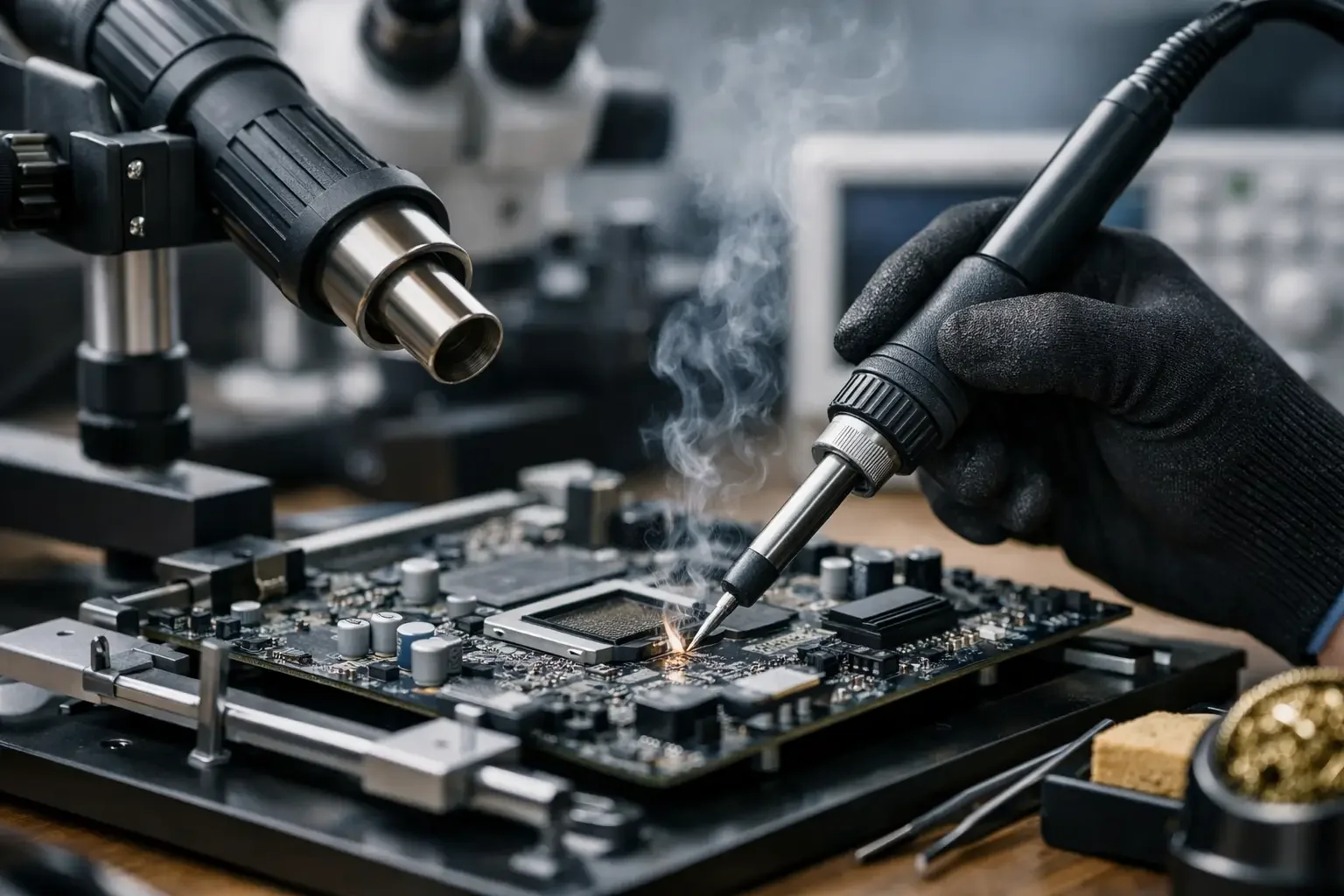
Anyone working on lines, FPC connectors, PMICs, charging ICs, or damaged pads knows that a soldering station for motherboards cannot be chosen solely by its price. On a smartphone, tablet, or MacBook motherboard, the difference between a clean job and a lifted trace comes down to thermal stability, quality of tips, and real control of hot air.
That's why the choice should be based on the type of repairs you perform daily. A workstation handling micro-soldering on iPhones and iPads has different needs compared to a lab that also services notebook boards, consoles, or boards with larger components. The right station reduces downtime, limits the risk of collateral damage, and maintains work repeatability.
When a Soldering Station for Motherboards is Really Necessary
If your work is limited to replacing flats, batteries, or complete modules, a basic setup may suffice. However, when you step into board-level repairs, the leap is significant. Local reballing, chip replacement, pad restoration, jumps on broken traces, shield removal, and connector desoldering require more stable and predictable tools.
The criticality is not just reaching the correct temperature. It's about how quickly the station recovers heat when touching a ground plane, how constant the temperature remains under load, and how accurate the airflow is on nearby components. A machine that claims high values on paper but fluctuates in practice creates problems on dense and miniaturized boards.
Key Features that Matter
Temperature Stability
The first useful parameter is stability, not the highest number on the display. On a modern motherboard, especially in the CPU, NAND, Tristar, Hydra, or power circuit areas, consistent temperature and quick recovery are essential. If the tip drops too much as soon as it touches ground, the operator tends to compensate by raising the setting. The result is often excessive local thermal stress.
A good station maintains the set value with minimal deviation and returns to operating conditions quickly. This impacts both the quality of soldering and the life of the tips.
Real Power
Nominal power is useful but needs to be interpreted. On smartphone motherboards, the demand is not the same as on a desktop motherboard; however, adequate power reserve avoids working at the limit. For professional workstations, it's preferable to have a station that delivers heat quickly and in a controlled manner, especially when working on ground planes or with lead-free solder.
Insufficient power forces longer contact times. This is where delaminations, weak pads, and stress on nearby components start to occur.
Quality of the Handle and Tips
The handle affects more than it seems. If it's unbalanced, heats up the hand too much, or has a stiff cable, precision decreases. In micro-repair work, comfort is not just an ergonomic detail; it’s a technical factor.
Also, the availability of compatible tips is crucial. To work well on motherboards, various geometries are needed: fine tips for microcomponents, chisel tips for connectors, profiles suitable for drag soldering on closely spaced pins. If the system offers few variants or hard-to-find replacements, the workstation becomes unnecessarily complicated.
Presence of Hot Air Module
In many cases, a complete soldering station for motherboards also includes hot air. For those replacing ICs, removing shields, or working on SMD components with widespread adhesion, it’s almost mandatory. Here, it’s not just the maximum temperature that matters, but also the quality of airflow, the precision of nozzles, and the consistency of delivery.
An overly aggressive air jet moves passive components, while an overly weak one prolongs thermal exposure. In the ideal setup, the soldering iron and hot air are complementary tools, not just emergency measures.
Combined Station or Separate Modules?
It depends on the volume of work and the level of the lab. A combined station takes up less space and simplifies workstation setup. For many service centers, it’s a practical choice, especially if hot air is used frequently but not continuously during long sessions.
Separate modules make sense when greater specialization is needed. A dedicated station for the soldering iron and one for hot air often allow for more control, easier maintenance, and targeted replacements over time. In a lab performing board repairs every day, modularity can be more cost-effective than initial savings.
Digital or Analog
There are still reliable analog solutions on the market, but for modern interventions, digital offers concrete advantages. Precise temperature readings, preset memories, and standby functions help standardize work. In a professional setting, standardizing means reducing variables and making interventions replicable from one technician to another.
This doesn’t mean a digital machine is automatically superior. If the control electronics are average, the display is just a number. A simple but stable station is better than one packed with features that lack credibility.
Which Configuration to Choose Based on Repairs
If you mainly work on iPhones, iPads, and mobile devices, it’s best to prioritize precision, quick tips, and well-regulated hot air. In this scenario, the workstation must handle small components, shields, FPCs, and circuits sensitive to widespread heat. A fast thermal response is more important than extreme power.
If you also work on MacBooks, notebook boards, or larger boards, power reserves become more important. Ground planes absorb heat, and an undersized station slows down every intervention. The availability of wider tips and differentiated nozzles also matters more.
For those doing occasional advanced repairs, a well-built intermediate solution is often the most rational choice. For those performing micro-soldering daily, consider the workstation as production equipment rather than an accessory. This is where the difference between mid-range and professional tools pays off.
Common Mistakes in Choosing
The most frequent mistake is chasing the maximum declared temperature. A motherboard doesn’t work better because the display shows a higher value. It works better if the temperature remains stable and the heat reaches where it’s needed without dispersions.
A second mistake is underestimating consumables. Tips, nozzles, handle replacements, and the availability of spare parts must be easy to find. A station stopped due to an unobtainable component costs more than the savings made at purchase.
There’s also the issue of compatibility with your working method. Some technicians prefer lightweight handles and higher temperatures for short times, while others work with more flux and more conservative thermal profiles. The ideal machine should adapt to the procedure, not force you to change techniques to compensate for its limitations.
Accessories That Make a Difference at the Workstation
The station alone doesn't solve everything. For motherboards, you also need the right tips, good flux, quality desoldering braid, a stable support, suitable tweezers, preheaters when necessary, and a microscope for real joint inspection. Without this ecosystem, even a good station operates below potential.
For a lab aiming to reduce errors and rework time, it makes sense to build a coherent workstation. This is the approach taken by specialized suppliers like iPhoneHospital.it, where the logic is not to sell a single tool, but to put the technician in a position to complete the intervention with compatible equipment and adequate materials.
How Much to Spend
On this point, the correct answer is: it depends on how much you earn with micro-soldering. If board-level repair is a marginal part of the work, a reliable mid-range option may suffice. However, if it represents a stable income for the lab, saving too much on the station means accepting more waste, longer times, and greater variability between jobs.
Expenses should be evaluated based on operational costs. A better station isn’t there to impress at the workstation; it’s there to complete interventions cleanly, with less thermal stress and more predictability. Over time, this is what protects profit margins.
How to Determine if a Station is Suitable for Your Lab
The useful question is not whether it's a good station in absolute terms. The right question is whether it’s suitable for the boards you repair, the volumes you handle, and your team’s manual skills. If you mainly do connectors, small ICs, and localized rework, look for precision and control. If you deal with larger boards or thermally challenging components, pay closer attention to real power and recovery under load.
It’s also worth considering the future. If you only perform basic interventions now but want to expand services on motherboards, choosing a station already ready for more intensive use avoids a double purchase in a few months.
A good soldering station for motherboards doesn’t promise miracles. It puts you in the position to work methodically, with lower error margins and repeatable results. And that’s what truly makes the difference at the workstation.