


Soldering Station: How to Choose the Right One
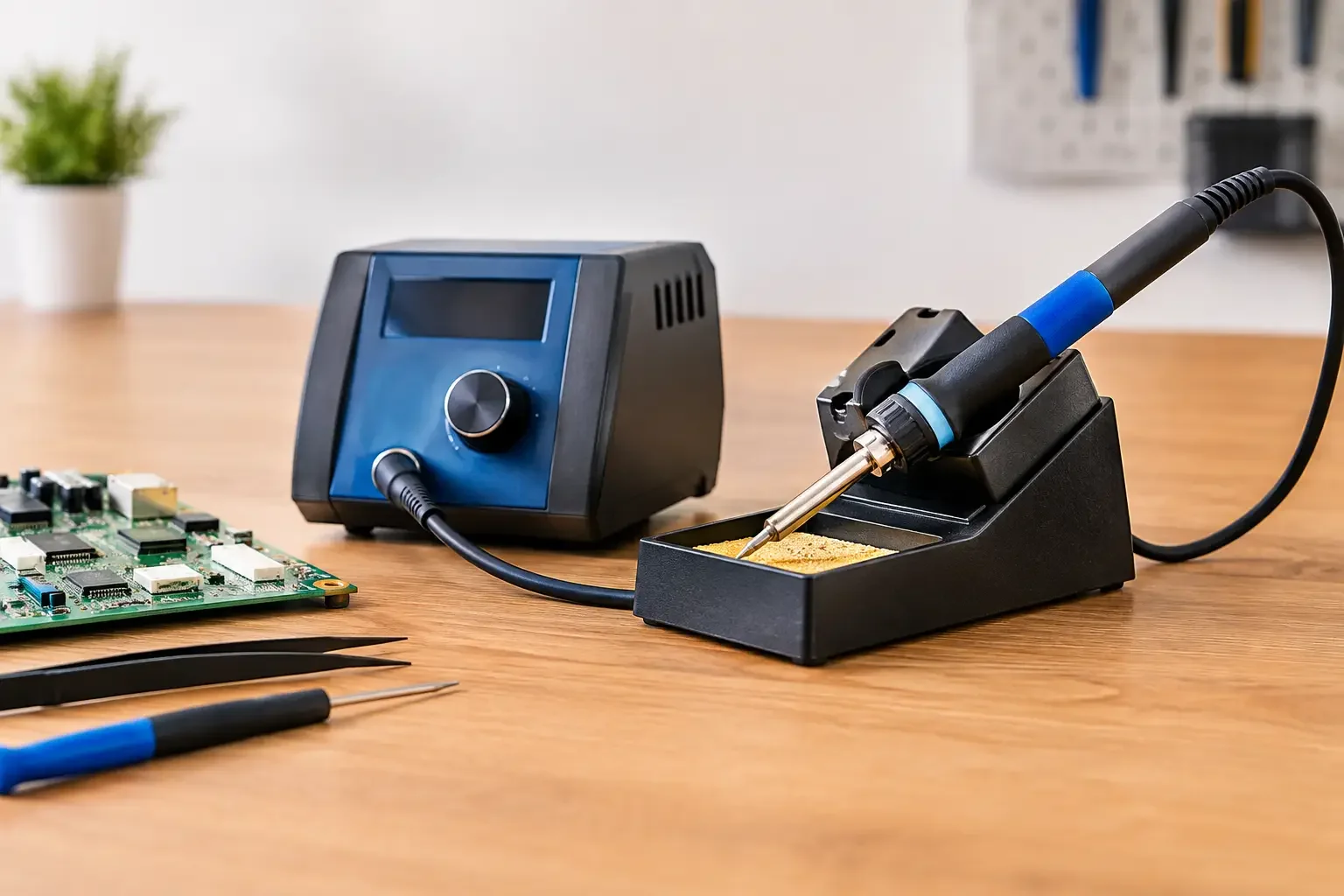
A charging connector that doesn't dissipate heat properly, a lifted pad on a motherboard, or a damaged flat cable from a tip that's too large can turn a routine repair into a longer and more costly procedure. The soldering station is not just a simple workbench tool; it directly influences precision, processing times, and the reliability of the result.
For those repairing iPhones, iPads, MacBooks, Android smartphones, and electronic boards, choosing the right model means assessing the type of tasks performed daily. There is no station suitable for everything: the ideal setup for soldering cables, connectors, and through-hole components does not always coincide with that needed for SMD micro soldering on multilayer PCBs.
What a Soldering Station is Used for in a Lab
A soldering station combines an interchangeable tip handle with a temperature control unit. Compared to a basic soldering iron, it allows you to set and maintain the required heat with greater consistency, reducing thermal spikes during contact with the component and the board.
This stability is particularly useful when repairing compact devices. On smartphones and tablets, the working space is limited, components are close together, and many heat-sensitive areas are near the intervention point. An uncontrolled temperature can compromise traces, plastic connectors, microphones, flat cables, and shields.
The station is used for various tasks: tinning wires and contacts, replacing connectors, restoring pads, soldering small components, working on battery tabs, and handling accessory boards. For the removal of ICs, extended FPC connectors, or components glued with lead-free solder, it often needs to be paired with a hot air station and thermal protection tools.
How to Choose a Soldering Station
Nominal power, thermal recovery speed, control precision, and availability of tips must be evaluated together. Relying solely on the wattage can easily lead to a choice that is not suitable for the workbench.
Power and Temperature Recovery
A 60W station may be sufficient for many routine repair activities, but the power rating alone does not accurately describe the tool's real performance. The key factor is the ability to transfer heat to the tip and quickly return it to the set temperature when it comes into contact with a metallic mass.
On a charging connector attached to a board with large mass areas, a tip that loses temperature forces the operator to prolong contact. The risk is not just a cold joint; it increases the likelihood of PCB delamination and damage to surrounding components. A station with good thermal recovery allows you to work more quickly and locally.
For a lab that performs frequent work on consumer electronics, a power range of approximately 60W to 100W is practical. For delicate tasks, it's not necessary to use all available power; it's important to have thermal reserve when the joint requires it.
Temperature Control and Calibration
Digital adjustment is preferred when alternating between traditional solder, lead-free alloys, thin wires, and SMD components. A wide operational range is useful, but it is even more important that the displayed temperature matches the actual temperature of the tip.
In many cases, electronic soldering works between 320°C and 380°C. The correct temperature depends on the alloy, the size of the joint, the tip used, and the PCB's ability to dissipate heat. Raising the temperature to compensate for an unsuitable or oxidized tip is bad practice; often it’s better to choose a different geometry, clean the tip, and use quality flux.
The calibration function allows you to correct any discrepancies over time. In a professional activity, periodically checking the temperature with a tip thermometer helps maintain repeatable procedures, especially when multiple technicians use the same workbench.
Tips: Shape, Thermal Mass, and Replacements
The tip determines much of the quality of the soldering. A very thin conical tip is useful on closely spaced pads and micro components, but it is not automatically the best choice for every job. It has a limited contact surface and may transfer little heat to larger terminals.
For connectors, cables, and grounding pads, a small or medium-sized chisel tip is often more efficient. The larger contact area brings heat to the joint quickly, avoiding excessive stays on the board. Blade tips can be suitable for drag soldering and for some interventions on aligned pins.
Before purchasing, it's useful to check that replacement tips are readily available and that the fastening system is specific to the handle. An inexpensive station without available replacements can become unusable when the tip wears out or sustains mechanical damage. For an operational bench, it’s advisable to have at least a fine tip, a chisel tip, and a tip with greater thermal mass for connectors and shielding.
The Soldering Station for Smartphones and Apple Devices
In the repair of iPhones and iPads, precision is not only about the pitch of the components. You must manage sensitive plastics, adhesives, thin flats, and high-density PCBs. A stable station is helpful for interventions on speakers, antenna cables, charging modules, connectors, micro switches, and grounding points.
When working on motherboards, distinguishing between spot soldering and advanced micro soldering is essential. The replacement of small filters, diodes, resistors, or capacitors also requires optical magnification, suitable flux, ESD tweezers, and established techniques. For interventions on BGA ICs, baseband, CPU or memory, just using the tip station is not enough; controlled hot air, preheating, and appropriate inspection tools are necessary.
On MacBooks and iMacs, however, you may encounter larger connectors, power cables, ports, and more extensive mass areas. In these cases, a tip that is too fine slows down the process, while a station with power reserve and a well-tinned chisel tip offers better control.
Accessories That Make a Difference
A good station loses effectiveness if used without suitable consumables and accessories. Flux promotes the wettability of the solder and limits the time needed to complete the joint. It should be chosen based on the application and removed when the residue may interfere with inspection or the device's operation.
Tip cleaning also deserves attention. Specific metal wool removes excess solder without abruptly cooling the tip, while a slightly damp sponge can be useful but requires more care. In both cases, after cleaning, it’s advisable to leave a thin layer of solder to protect the surface from oxidation.
On the workbench, there should be at least a stable support, replacement tips, suitable solder wire for the tasks performed, desoldering braid, solder sucker when necessary, ESD tweezers, kapton, and inspection tools. For labs with recurring interventions, organizing these materials in the lab accessory section reduces interruptions and keeps the workspace neater.
Errors to Avoid While Soldering
The first mistake is insisting too long on the joint. If the solder doesn’t melt or adhere, rarely does the problem resolve by keeping the tip pressed for more seconds. You need to check the actual temperature, presence of oxidation, amount of flux, size of the tip, and the board's thermal dissipation.
The second mistake is working with a black, dry, or deformed tip. An oxidized tip poorly transfers heat and forces you to unnecessarily raise the temperature. Daily maintenance is simple: correct cleaning, tinning before turning off, and replacement when the coating is compromised.
Finally, ESD protection should not be underestimated. Many electronic components are sensitive to electrostatic discharges even when the damage is not immediately visible. A mat, ESD wrist strap, and a clean bench are integral to repair quality, not optional accessories.
Choosing the soldering station must start from the type of faults that truly come into the lab. A stable machine, with available tips and adequate thermal recovery, enables more controlled interventions and allows time for diagnosis and final checks, not for correcting problems created during soldering.