


Which Tweezers to Use for Micro Soldering?
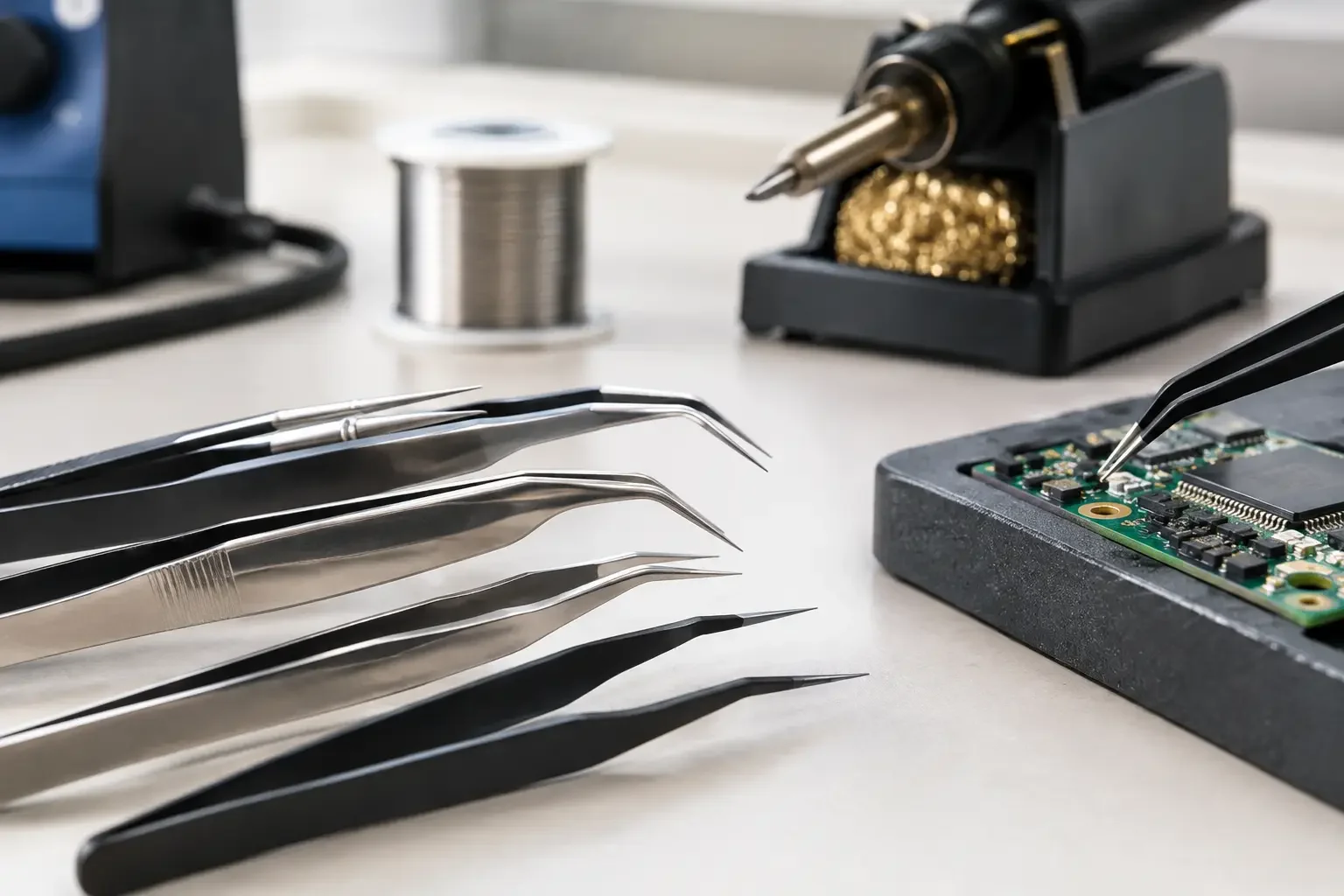
An inadequate tweezer can turn changing a 0201 capacitor into a time-wasting endeavor or worse, into a lifted pad. Understanding which tweezers to use for micro soldering means choosing a tool that holds the component without damaging it, not just a simple grip tool. In repairs of logic boards for iPhones, iPads, MacBooks, and Android devices, tip geometry, material, and ESD protection directly affect precision, speed, and quality of the outcome.
Which Tweezers to Use for Micro Soldering: The Right Criteria
There is no one-size-fits-all tweezer for every job. The choice depends first on the size of the component, access to the work area, and the operation to be performed: positioning, removal, cleaning, rework, or managing thin wires.
For a lab servicing dense electronic boards, the minimum kit should include straight fine-tipped tweezers, curved tweezers, and at least one very slim version for small SMD components. The tips must close evenly: if there is even minimal misalignment, the component may rotate, slip away, or be gripped too tightly.
The practical rule is simple. The smaller the component, the more precise the tip must be, but not necessarily sharper. An excessively pointed tip can mark a BGA, chip a ceramic capacitor, or get lodged under a pad during placement. Therefore, in everyday micro soldering, the useful precision is that which is controllable.
Straight Tweezers: The Foundation for SMD Components
Straight fine-tipped tweezers are the most versatile on the bench. They are used to pick up resistors, capacitors, diodes, filters, connectors, and small metal elements, as well as to hold a component steady while applying flux or solder.
A fine but slightly flat tip offers a good contact surface and reduces the risk of ejecting the component. It is a practical choice for 0402 and 0201 package sizes, small jumpers, and the components found on iPhone and iPad boards. When working under a microscope, a shorter tip length helps maintain a clear view of the affected area.
Very pointed straight tweezers are used when reaching an isolated spot among closely spaced components. They are useful but should be used gently: they are not the ideal tool for lifting glued parts or prying under integrated circuits.
Fine Tip or Flat Tip?
The fine tip is suited for gripping and positioning microcomponents. The flat or beveled tip is safer when it’s necessary to hold a component in position while solder flows back, or when picking up slightly larger elements without concentrating pressure on a single point.
In practice, having both profiles prevents forcing a tweezer to perform a task it wasn't designed for. It's a small difference in tool cost, but significant in the repeatability of the intervention.
Curved Tweezers: Access and Visibility During Rework
Curved tweezers, often referred to as angled, are particularly useful around FPC connectors, shields, coils, and integrated circuits. The curvature takes the hand out of the visual field and allows for a more natural approach to the component under the microscope.
During hot air removal, a curved tweezer allows you to check if a component has released from the solder without pulling it. This step is essential: if the component does not move freely, it means that one or more solders have not yet reflowed. Forcing it can lift pads and tracks, making subsequent repairs much more complex.
They are also a common choice when managing flex cables. When working on display, battery, camera, or Face ID connectors, the angle helps guide the cable without bending it aggressively. For jumper wires and enameled wires, a thin curve improves control when securing with UV mask or high-temperature tape.
Material of Tweezers: Steel, ESD, and Special Tips
High-quality stainless steel remains the most common material because it is durable, easy to clean, and maintains good alignment. However, for micro soldering, a tweezer being stainless is not enough: it must be antistatic or dissipative when used on sensitive boards and semiconductors exposed to electrostatic discharge.
ESD tweezers have a coating or construction designed to reduce charge buildup. They do not replace mats, wrist straps, and correct grounding of the workstation, but complement a coherent setup. In a professional lab, using a non-ESD tweezer on an exposed board negates some of the precautions taken on the bench.
There are also tweezers with ceramic or technical plastic tips. They are not the first choice for normal handling of SMD components, but they are valid when electrical insulation is needed, when working near powered points for specific measurements, or when avoiding scratching delicate surfaces. Ceramic is fragile: it should not be used for prying, scraping, or removing stuck parts.
Why Avoid Magnetic Tweezers
A highly magnetic tweezer creates practical problems: it can attract screws, shields, or metallic components at the most inconvenient moment. Moreover, it complicates the handling of tiny elements on the mat. Slight magnetization does not compromise every operation, but in micro soldering, the predictability of the tool is more important than occasional convenience.
The Tip Shape Based on the Work
For SMD assembly and replacement, fine straight tips are the reference. For rework under the microscope and in areas covered by connectors or shields, curved tips offer a real advantage. Ultra-fine tips are intended for small pads, jumper wires, and 0201 components, while flat tips are used for wider parts and to apply distributed pressure.
Wide beak tips can be useful during the removal of small modules or for holding a thermally stable component, but they do not replace a precision tweezer. The elastic tension should also be taken into account: a tweezer that is too stiff tires the hand and leads to excessive gripping; one that is too soft reduces control and makes it difficult to hold the component.
In delicate operations, it's advisable to use one tweezer dedicated solely to clean components and another for operations that leave residues of flux, solder, or adhesive. Contaminants on the tips are not just an aesthetic problem: they can make a 0201 stick during placement, disrupting alignment before soldering.
How to Use Tweezers Without Damaging the Board
The tweezer must guide the component, not drag it. When removing an SMD with hot air, first check the reflow of the solder with minimal lateral movement. Only then should you lift the component vertically, avoiding twists on the pads.
When positioning, it is preferable to deposit the component on the pad with little pressure and release it before the solder solidifies. If it remains stuck to the tip due to flux residues, do not pull: you can place the component back, heat it in a controlled manner, and free the tweezer without creating a cold solder joint.
Do not use the tips as scrapers to remove glue, oxide, or underfill. For these operations, blades, scalpels, spudgers, and specific tools are needed. Deformed tweezers lose their ability to close correctly and become imprecise just when the work requires more control.
Maintenance: A Detail That Changes Precision
After each session, clean the tips with isopropyl alcohol and a lint-free cloth. Residues of burned flux should be removed immediately, without aggressive abrasive papers that can alter the finish and create burrs.
Periodically check the closure against a clear surface or under a microscope. The two tips should meet at the same point without sliding against each other. If the tweezer has fallen, do not automatically use it on critical work: even minimal deformation is enough to make placing a microscopic component difficult.
For an organized workbench, tweezers should be stored with a protective cap or on a dedicated stand. Leaving them loose among screwdrivers and heavier tools is the fastest way to damage the tips.
Consistent Equipment for Precision Work
The choice of tweezers should be integrated with the rest of the workstation: microscope, hot air station, soldering iron with the appropriate tip, flux, desoldering braid, ESD mat, and cleaning systems. A component picked up with precision but heated with excessive airflow remains exposed to the same risks of lifted pads and displaced components.
In the lab section of iPhoneHospital.it, those performing hardware repairs can organize their toolkit starting from basic tools and adding specific instruments for the type of boards treated. For recurring interventions on Apple devices, it is advisable to keep at least one ESD straight tweezer, one ESD curved tweezer, and one ultra-fine tweezer dedicated to microcomponents on the bench.
The best tweezer is the one that allows you to see the component, grasp it without marking it, and release it exactly where needed. If during work you have to compensate with force, unnatural angles, or repeated attempts, it’s not a limitation of micro soldering: it’s a signal that a different tip profile is needed.